Workflows
Workflows are the approval chains behind the rest of Plexa. When a purchase order, variation or drawing needs sign-off, a workflow routes it through the right people in the right order and records what each of them decided. Most people meet workflows through the tasks they generate rather than by opening this module.
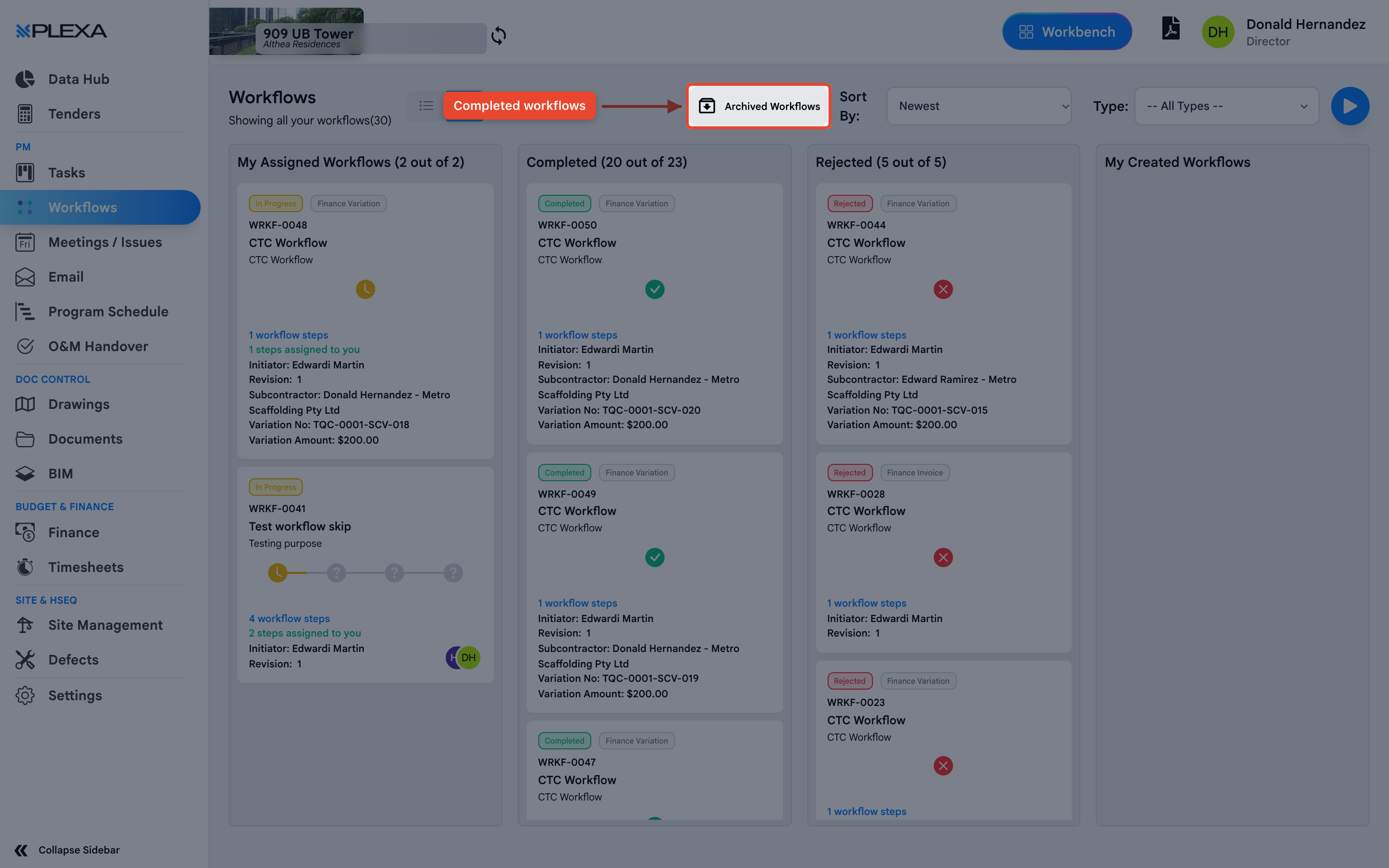
Reading a Workflow
Each entry on the list carries:
- A reference such as "WRKF-0022", and the workflow type it was raised from
- "N workflow steps" — how many approvals the item passes through
- "Initiator" — who started it
- "Revision" — how many times it has been resubmitted
- A status of Completed, Rejected or in progress
Finance workflows also show the "PO Number", "Supplier Name" and "Amount" on the card, so you can see what is being approved without opening it.
A rejected workflow is not the end of the matter. It is usually resubmitted as a new revision, which is why the revision number matters.
How You Will Actually Use It
You rarely start a workflow here. It begins when someone raises a purchase order, a variation or a drawing review. Plexa then creates a task for each approver in turn — titled "[Workflow ID WRKF-0048 - Step 1]" — and the workflow advances as each is completed.
Come to this module when you need to see where something is stuck: which step it is on, who it is waiting for, and whether it has been rejected before.
Notes & Recommendations
- Approving happens in Tasks, not here. This module is the audit trail
- "Archived Workflows" holds finished chains — useful when someone asks who approved a cost months later
- The step count tells you how long an approval will take before you promise a date to a supplier
Need More Support?
For Individual requests related to using Plexa Tools, Contact PLEXA SUPPORT
Email: support@plexapro.com
Phone: 1300 117 140
We're here to help you get the most out of Plexa.