Roles and Permissions
A role is a named bundle of permissions. Everyone in Plexa holds one, and it decides which modules appear in their sidebar and what they can do inside them.
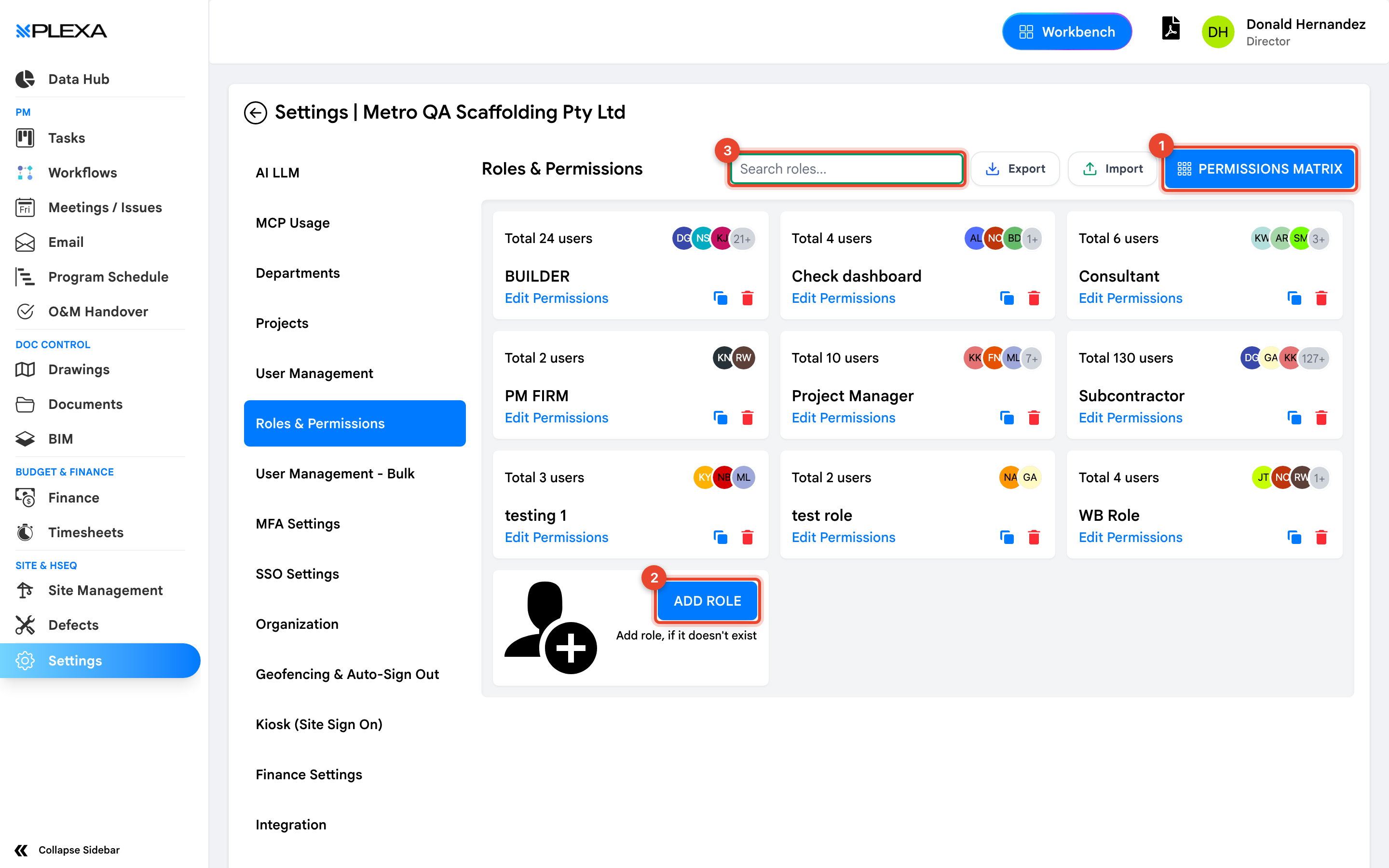
1 "Permissions Matrix" · 2 "Add Role" · 3 "Search roles"
The Roles You Start With
Organisations typically carry roles along the lines of Builder, Project Manager, Consultant, PM Firm and Subcontractor. Each card shows how many users hold it, so you can see at a glance where your people actually sit.
Select "Edit Permissions" on a role to change what it grants.
Changing a role changes it for everyone holding it. The user count on the card is how many people your edit will affect — read it before you save.
The Permissions Matrix
"Permissions Matrix" shows every role against every permission in one grid. It is the fastest way to answer "who can approve a purchase order" without opening roles one at a time, and the right place to review access as a whole.
Creating a Role
Select "Add Role" when an existing role is close but not right. Creating a narrow role is safer than widening a broad one — widening Project Manager to solve one person's problem grants that access to every project manager in the organisation.
"Export" and "Import" move role definitions between environments, which is how a tested set of permissions reaches production without being rebuilt by hand.
Notes & Recommendations
- Grant the narrowest role that lets someone do their job. It is far easier to widen access later than to explain why someone saw a cost they should not have
- Review the matrix when people change jobs, not only when they join
- A role grants nothing on its own — the person must also be attached to the project in User Management
Need More Support?
For Individual requests related to using Plexa Tools, Contact PLEXA SUPPORT
Email: support@plexapro.com
Phone: 1300 117 140
We're here to help you get the most out of Plexa.