Meetings and Inspections
This section keeps site meetings and formal inspections together, each with its own list and its own create button.
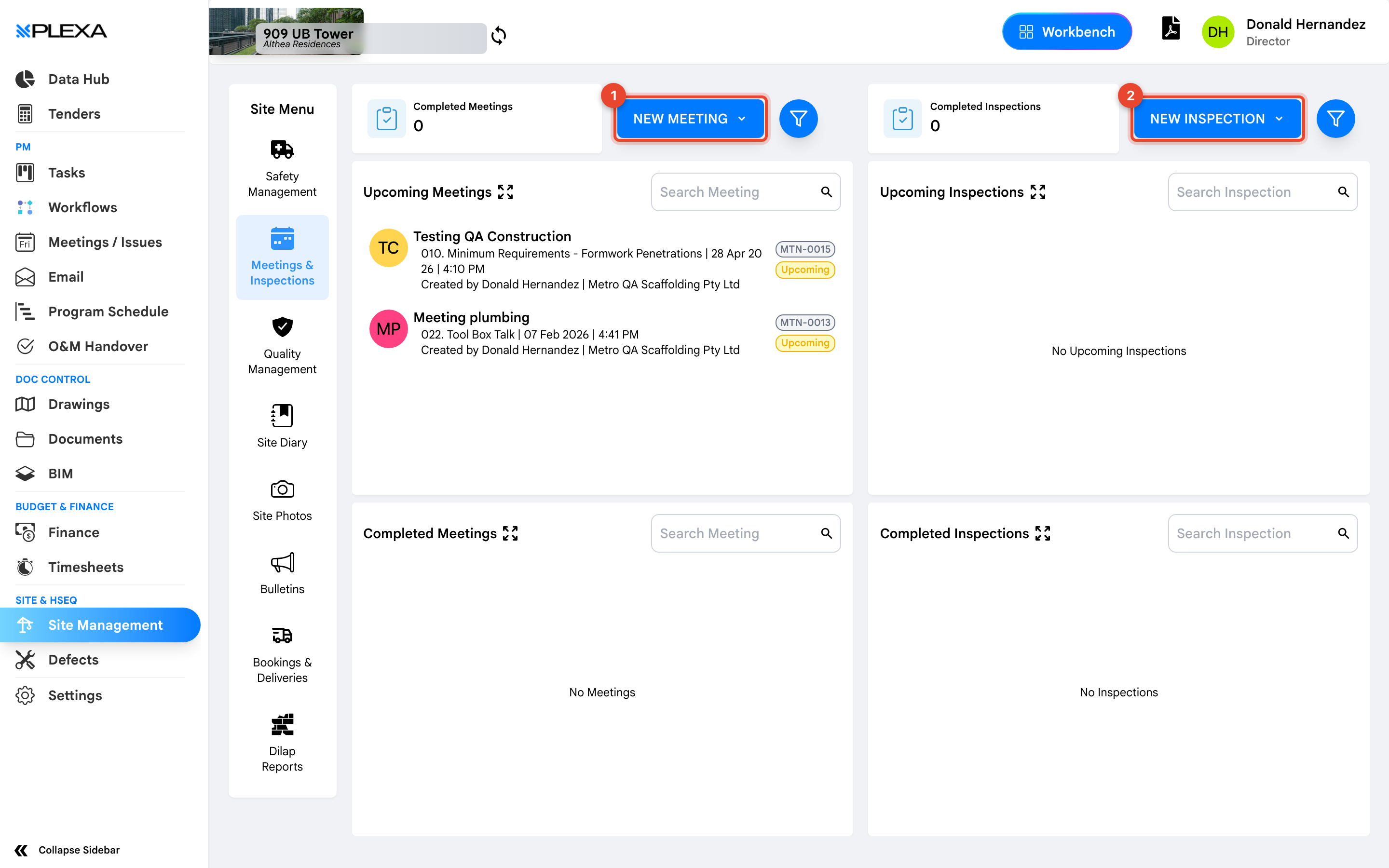
1 "New Meeting" · 2 "New Inspection"
Meetings
Select "New Meeting" to schedule a site meeting and record its attendees and minutes. Use "Search Meeting" to find one later.
These are site meetings. Design and coordination meetings live in the separate Meetings / Issues module in the main sidebar — a distinction worth knowing before you go looking in the wrong place.
Inspections
Select "New Inspection" to record a formal inspection. Inspections are searched separately with "Search Inspection".
An inspection here is a site inspection — a walk with findings. It is not the same as an ITC under Quality Management, which records inspection against a specific test plan.
Three things in Plexa are called inspections: site inspections here, ITCs under Quality Management, and dilapidation inspections under Dilap Reports. They serve different purposes and are not interchangeable.
Notes & Recommendations
- Record findings against the inspection rather than emailing them. The record is what an auditor asks for
- Meetings support sign-off, so attendance can be evidenced rather than asserted
- Check whether your project uses this section or the Meetings / Issues module for a given meeting type — projects differ
Need More Support?
For Individual requests related to using Plexa Tools, Contact PLEXA SUPPORT
Email: support@plexapro.com
Phone: 1300 117 140
We're here to help you get the most out of Plexa.