Tasks
Tasks is the project's to-do board. Anything that needs doing but does not belong in another module lives here, with an owner, a priority and a due date. Approval steps raised by Workflows also land here, so it is worth checking even if you never create a task yourself.
Step By Step Guide
Select "Tasks" in the Plexa sidebar
Select "Add New"
Give the task a title, assign it, and set a "Priority" and "Due" date
Save. The task appears on the board with its own reference, such as "T58"
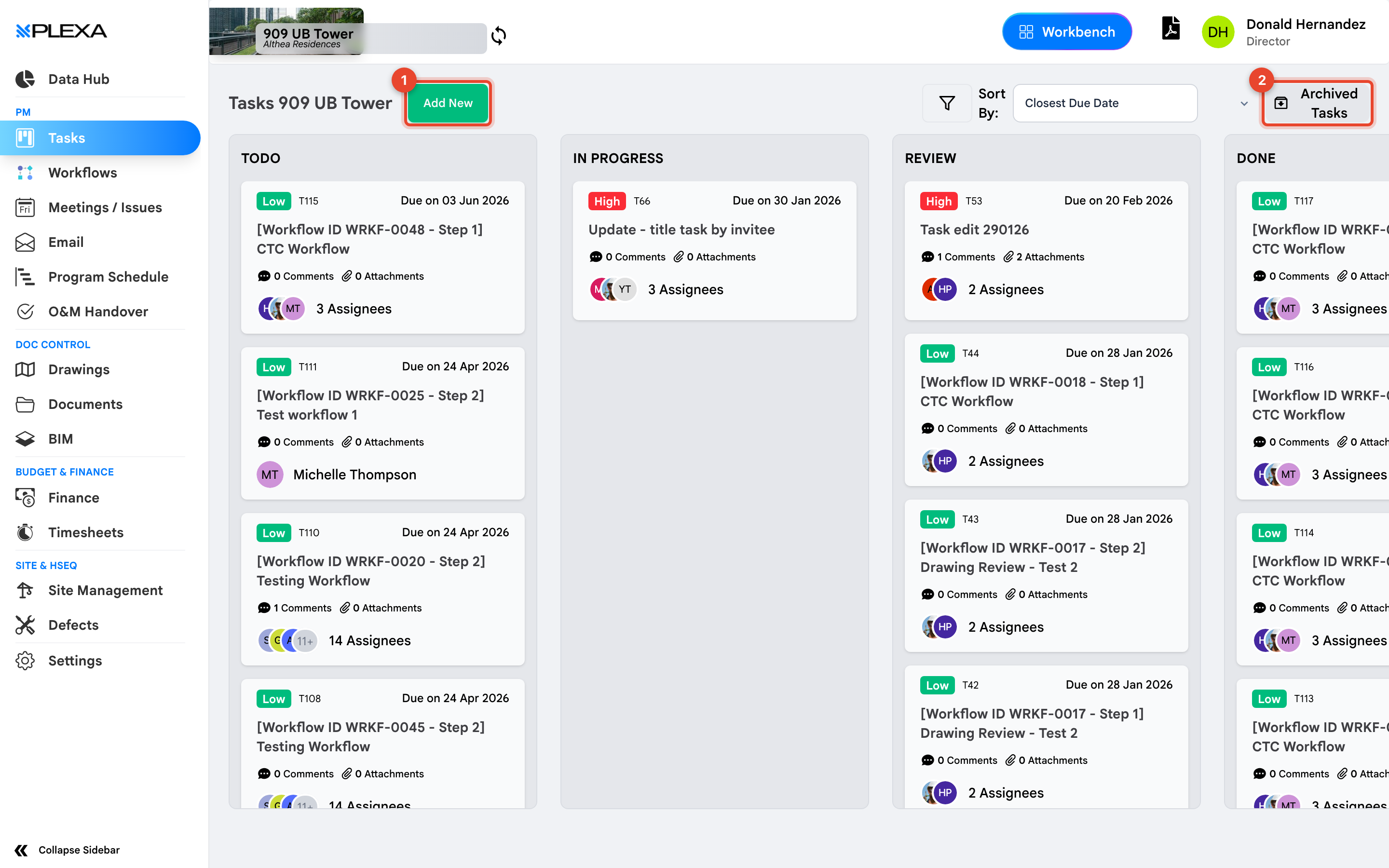
1 "Add New" · 2 "Archived Tasks"
For the form field by field, see Create a Task.
Reading a Task Card
Each card shows the title, the number of "Comments" and "Attachments", who it is assigned to, its priority, its reference number and when it is due. A task with more than one owner shows "2 Assignees" rather than a name.
Tasks titled "[Workflow ID WRKF-0048 - Step 1]" were created by a workflow. They are approval steps, and completing one advances the workflow.
Notes & Recommendations
- Comments on a task stay with it, which keeps the reasoning attached to the work rather than in a chat thread
- "Archived Tasks" holds completed and cancelled tasks — check there before recreating something
- Assign a due date even when it is approximate. Undated tasks are the ones that get lost
Need More Support?
For Individual requests related to using Plexa Tools, Contact PLEXA SUPPORT
Email: support@plexapro.com
Phone: 1300 117 140
We're here to help you get the most out of Plexa.