Equipment
The equipment register lists the plant and equipment on site and, more usefully, when each item is next due for service.
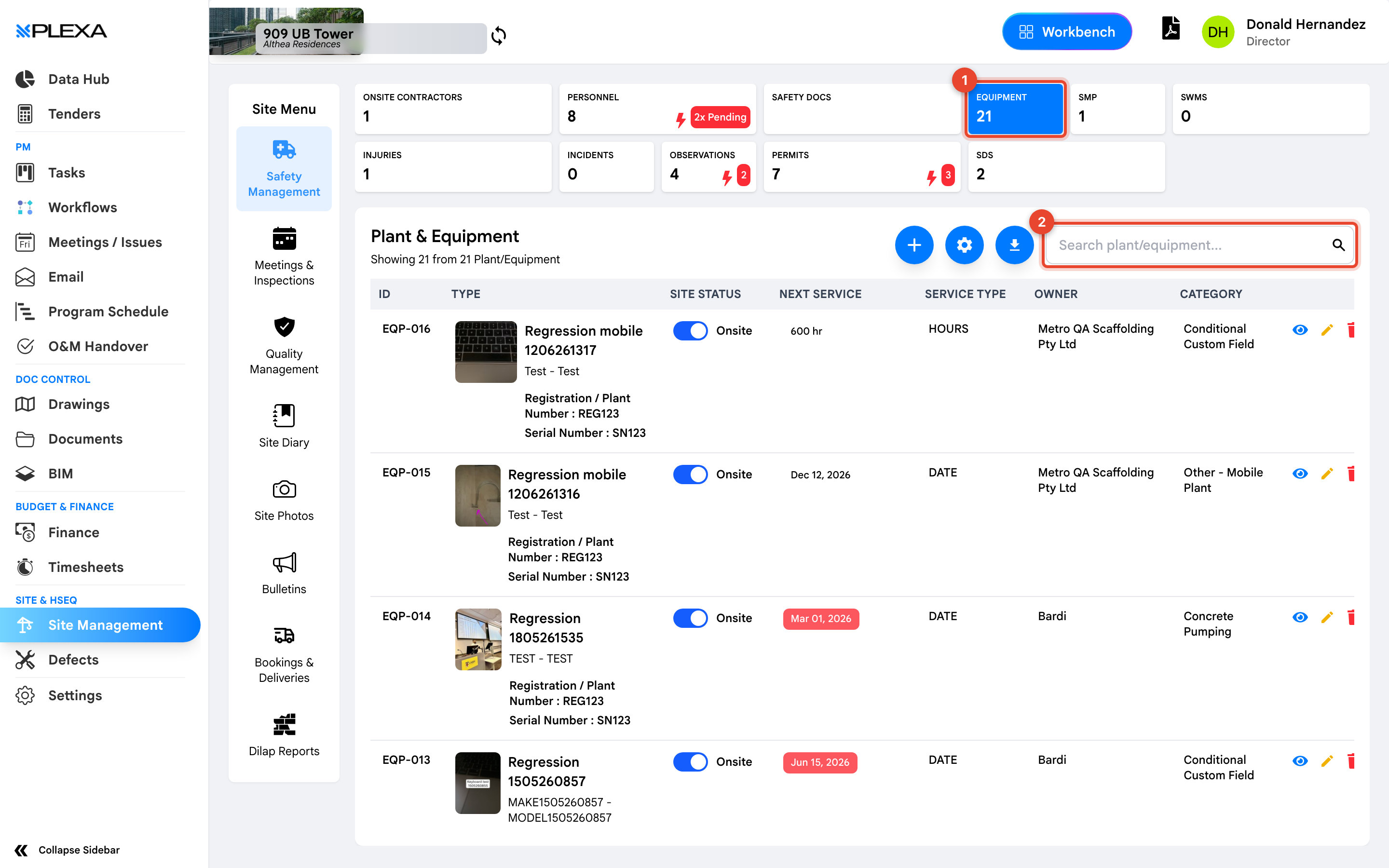
1 The "Equipment" tile · 2 "Search plant/equipment"
Reading the Register
- ID and Type — what the item is
- Site Status — whether it is currently on site
- Next Service and Service Type — when it is next due and for what
- Owner — the company responsible for it
- Category — how the item is classified for reporting
"Next Service" is the column that earns this register its place. Plant running past its service date is a common audit finding and an easy one to prevent.
Logbooks and QR Codes
Equipment can carry a logbook for pre-start checks, and items are often labelled with a QR code so an operator can open the right record on a phone without searching for it.
Notes & Recommendations
- Search with "Search plant/equipment" by ID or type
- Site Status and ownership together answer the question that comes up after an incident: whose plant was it, and was it here
- An item leaving site should be marked accordingly rather than deleted, so its service history stays with the project
Need More Support?
For Individual requests related to using Plexa Tools, Contact PLEXA SUPPORT
Email: support@plexapro.com
Phone: 1300 117 140
We're here to help you get the most out of Plexa.