Program Schedule
Program Schedule is the construction programme — tasks, groups and milestones laid out on a Gantt chart with dates, durations and progress. It answers what is happening this week and what is meant to follow.
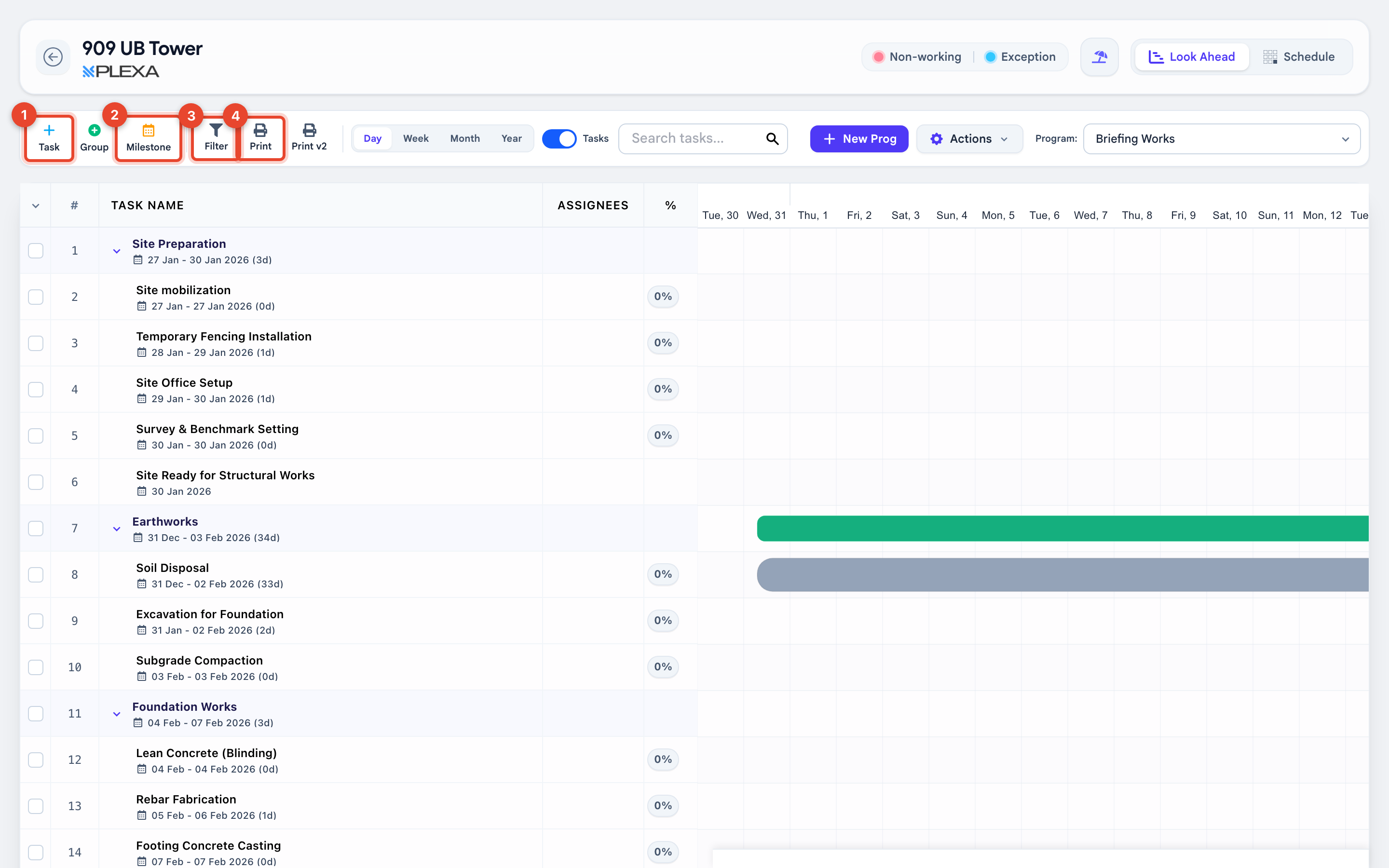
1 "Task" · 2 "Milestone" · 3 "Filter" · 4 "Print"
Building the Programme
Select "Task" to add an activity with a start date, finish date and duration
Select "Group" to nest related tasks under a heading such as "Foundation Works"
Select "Milestone" for a dated point with no duration, such as "Site Ready for Structural Works"
The task list on the left shows the number, task name, assignees and percentage complete. The Gantt chart on the right shows the same tasks as bars across the calendar.
Changing the View
- "Day", "Week", "Month" and "Year" change how much calendar fits on screen
- "Look Ahead" and "Schedule" switch between the short-term view and the full programme
- "Filter" narrows the list, and "Search tasks" jumps to one by name
- "Program" at the top right switches between programmes where a project has more than one
"Non-working" and "Exception" days are marked on the calendar. A bar that looks longer than its duration is usually spanning a non-working period.
Notes & Recommendations
- Update the percentage complete rather than moving dates. The baseline is what makes delay visible
- "Print" produces a shareable version of the current view — set the date range before printing
- Milestones carry no duration, so they show as a point rather than a bar
Need More Support?
For Individual requests related to using Plexa Tools, Contact PLEXA SUPPORT
Email: support@plexapro.com
Phone: 1300 117 140
We're here to help you get the most out of Plexa.