Quality Management
Quality Management holds the plans that prove work was inspected and accepted — Inspection and Test Plans, and the checks recorded against them.
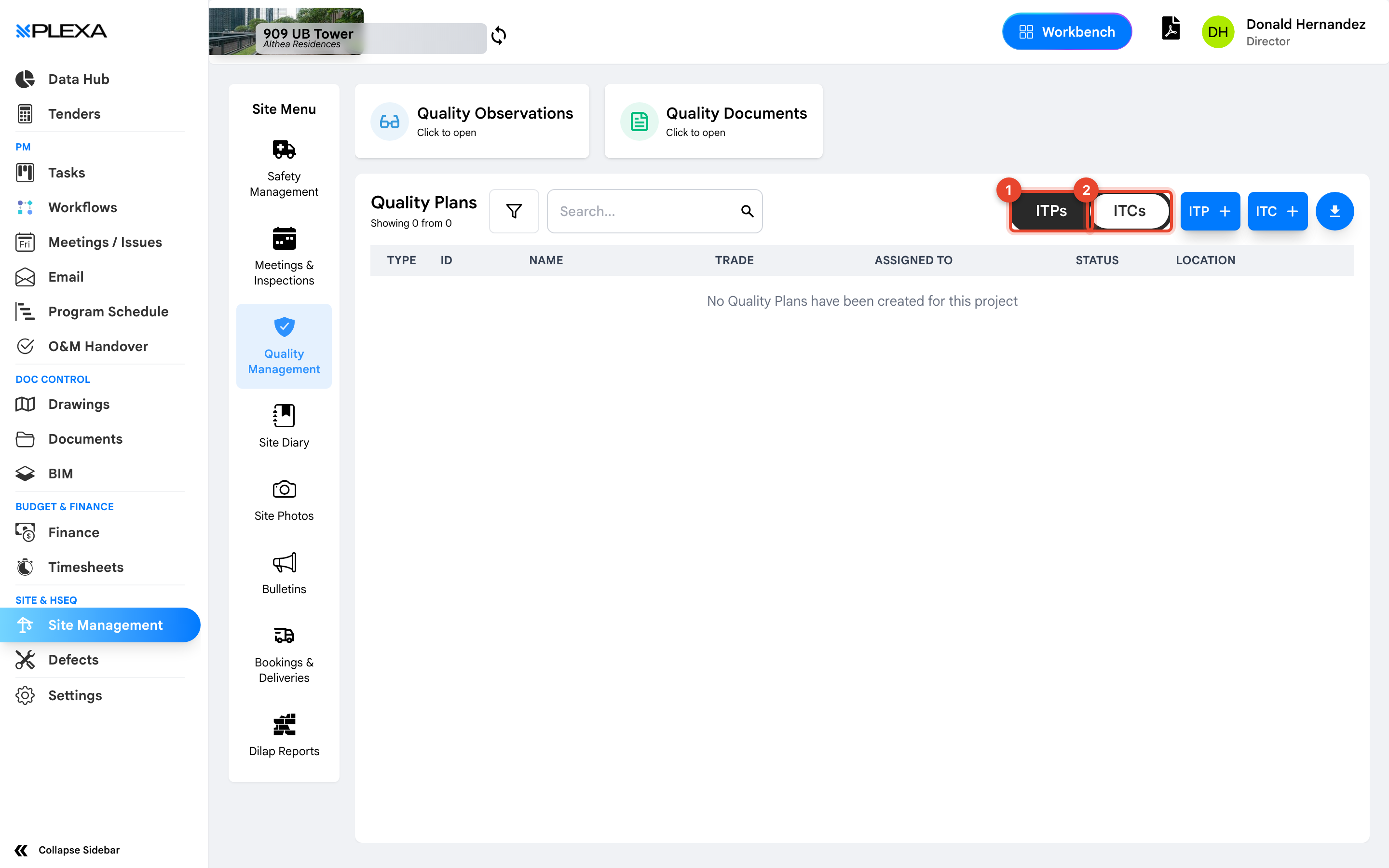
1 The "ITPs" tab · 2 The "ITCs" tab
ITPs and ITCs
The register has two tabs:
- "ITPs" — Inspection and Test Plans. The plan for what will be inspected, by whom, at which hold points
- "ITCs" — Inspection and Test Checklists. The record of an inspection actually carried out
Each row shows the "Type", "ID", "Name", "Trade", who it is "Assigned To", its "Status" and the "Location".
Use "ITP +" and "ITC +" to create either.
An ITP is the plan; an ITC is the evidence. A project with plans and no checklists has documented its intentions, not its quality.
Quality Observations and Quality Documents
Two cards sit above the register:
- "Quality Observations" — quality issues raised for action, tracked like safety observations
- "Quality Documents" — the supporting documentation for quality records
Hold Points
An ITP typically defines hold points — stages where work must stop until an inspection is signed off. Sign-off can be collected on site from a link, so the person approving does not need to be at a desk.
Notes & Recommendations
- Assign an ITP to a trade and a location so it is findable when the work is ready for inspection
- An empty register reads "No Quality Plans have been created for this project" — that is a project not yet set up, not an error
- Quality observations are separate from Defects. Observations are raised during the work; defects record work already completed incorrectly
Need More Support?
For Individual requests related to using Plexa Tools, Contact PLEXA SUPPORT
Email: support@plexapro.com
Phone: 1300 117 140
We're here to help you get the most out of Plexa.