Projects
The Projects tab is the organisation's full project list — everything active, completed and archived — and where new projects are created.
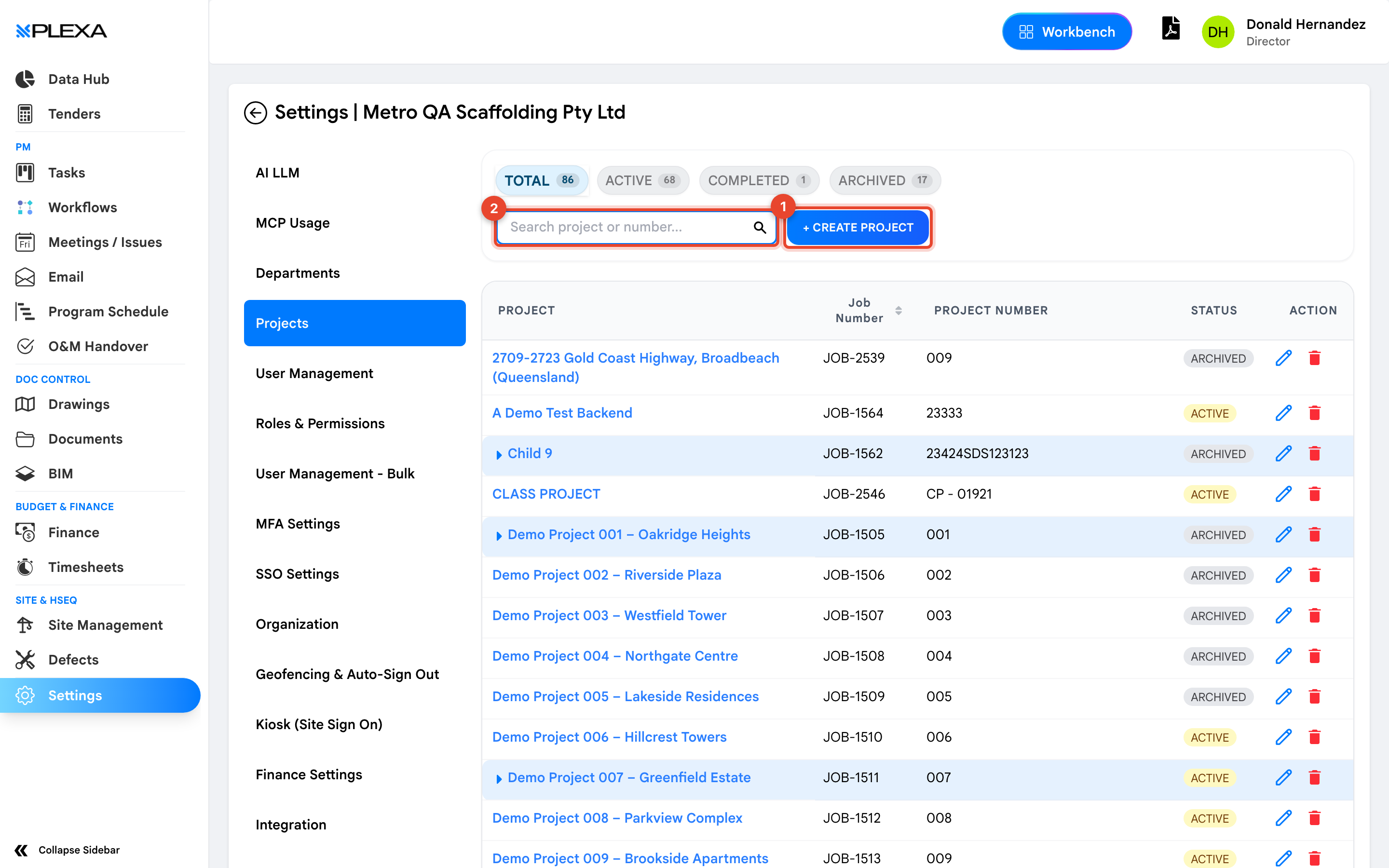
1 "Create Project" · 2 "Search project or number"
Finding a Project
Counts across the top split the list into "Total", "Active", "Completed" and "Archived". Each row shows the Project, its Job Number, a Project Number and its Status.
Use "Search project or number" — on an organisation with dozens of projects it is faster than paging, and it matches the job number as well as the name.
Archived projects are hidden from the project picker but not deleted. A project that has "disappeared" for your team has usually been archived rather than removed.
Creating a Project
Select "+ Create Project" and complete the project details. What you set here — the job number, the status, the trade structure — flows into every module, so it is worth agreeing the naming convention with your team before creating the first one.
Projects can also be nested, with subprojects sitting beneath a parent. That is how staged works and multi-building sites are usually organised.
Notes & Recommendations
- Job numbers are how finance and procurement find a project later. Set one at creation rather than afterwards
- Archive rather than delete when work finishes. The record stays available for claims and defects that surface after handover
- Creating a project does not give anyone access to it — attach people in User Management
Need More Support?
For Individual requests related to using Plexa Tools, Contact PLEXA SUPPORT
Email: support@plexapro.com
Phone: 1300 117 140
We're here to help you get the most out of Plexa.