Safety Documents: SWMS, SMP and SDS
Three registers hold the safety paperwork a project runs on. They work the same way — each company submits, and the project reviews for compliance — but they cover different things.
Safe Work Method Statements (SWMS)
A SWMS sets out how a high-risk activity will be carried out safely. The register records the "SWMS" name, who "Submitted" it, a "Description", whether it covers "High Risk" work, its "Compliance" state and an overall "Status".
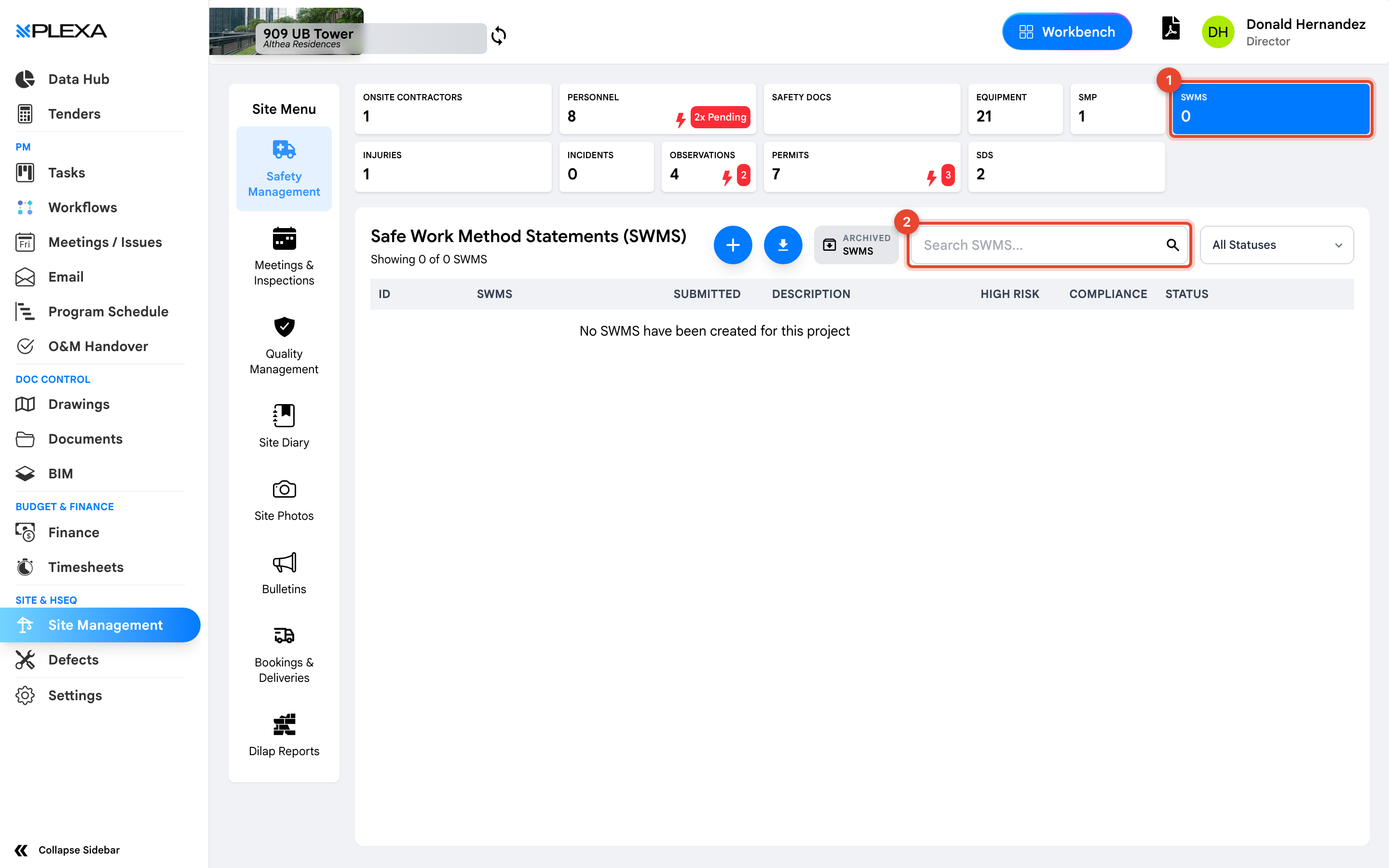
1 The "SWMS" tile · 2 "Search SWMS"
The "High Risk" column is the one to scan. High-risk construction work carries specific legal requirements, and a non-compliant SWMS against it should stop the activity.
Safety Management Plans (SMP)
An SMP is a company's overarching safety plan for the project. The register shows the "Organization Name", plan "Type", "Title", "Compliance", when it was "Submitted" and its "Status".
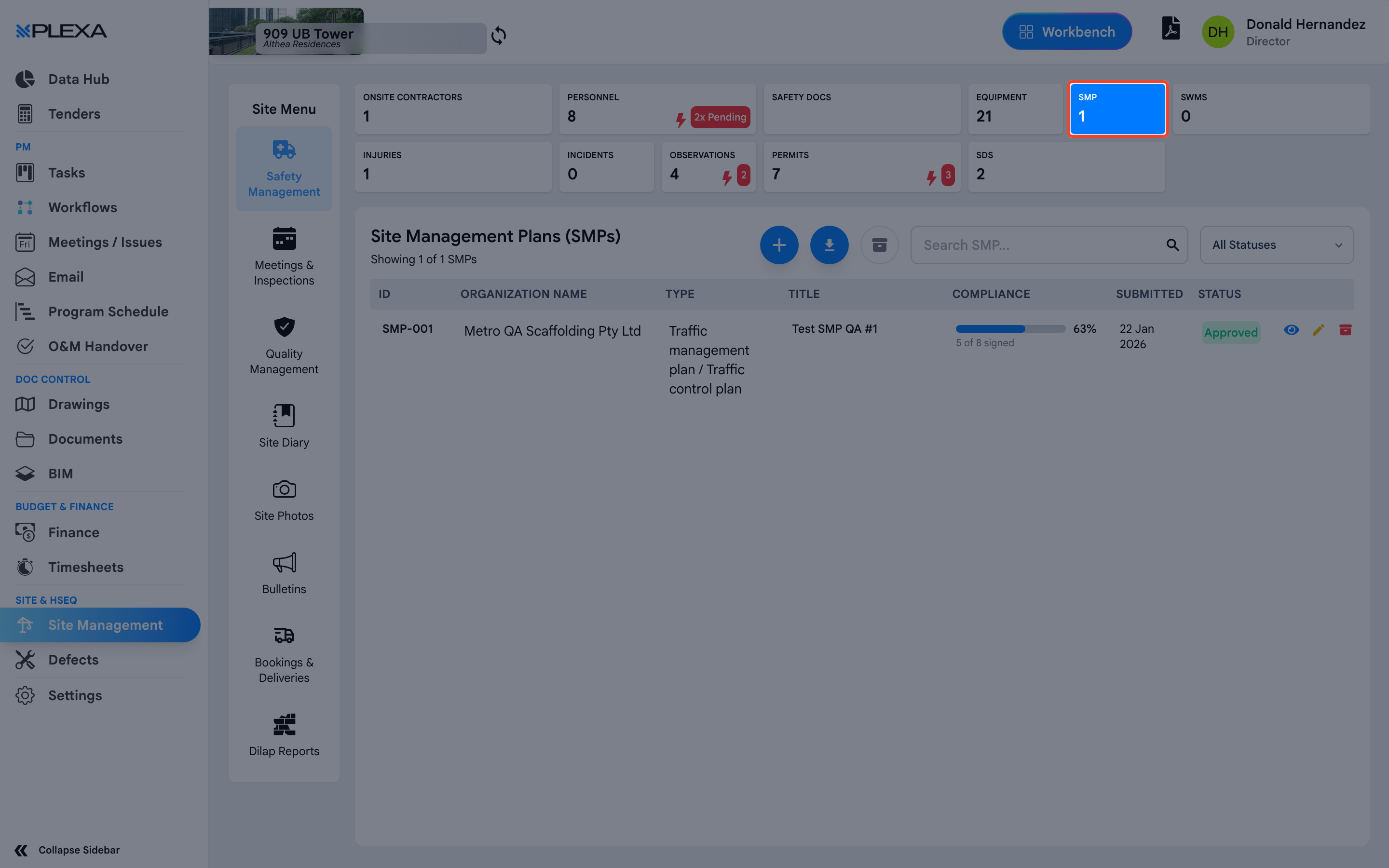
Safety Data Sheets (SDS)
An SDS describes a hazardous substance and how to handle it. The register records the "Hazard", the "Organization" that brought it on site, the "Hazard Type", an "Expiry Date" and a "Status".
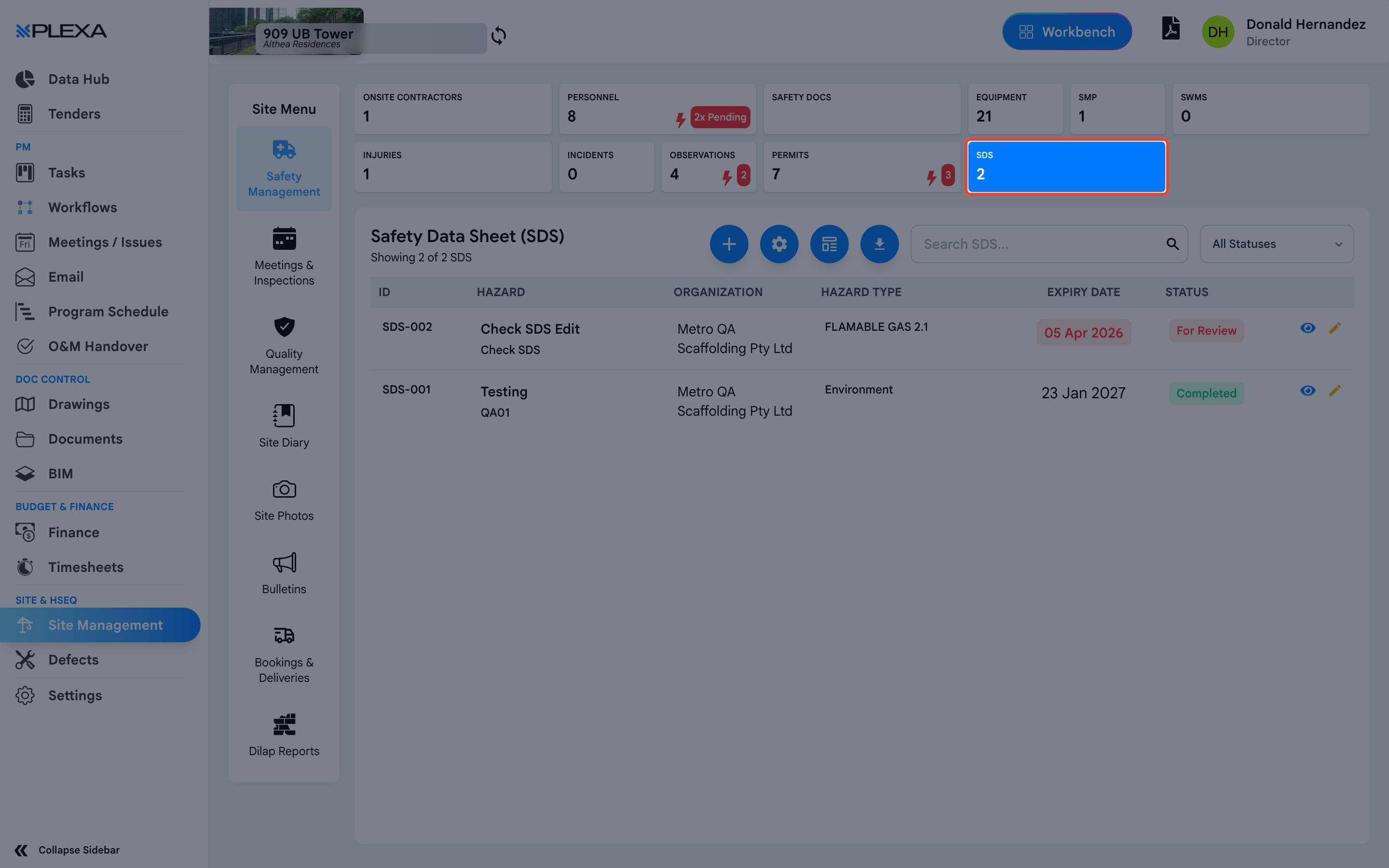
Safety Data Sheets expire. The "Expiry Date" column is worth a periodic sweep — an out-of-date sheet is treated as no sheet at all.
Notes & Recommendations
- Each register has its own search box, and SWMS has an "Archived SWMS" view for superseded versions
- Compliance is assessed by the project team, not by the submitting company. A submitted document is not automatically a compliant one
- A revised SWMS should be submitted as a new version rather than edited in place, so the history of what was approved remains intact
Need More Support?
For Individual requests related to using Plexa Tools, Contact PLEXA SUPPORT
Email: support@plexapro.com
Phone: 1300 117 140
We're here to help you get the most out of Plexa.