Find Your Way Around
The sidebar on the left is how you move around Plexa. It is grouped into sections that follow the shape of a project — project management, documents, procurement, money, then site and safety. This guide walks through those groups so you know where things live.
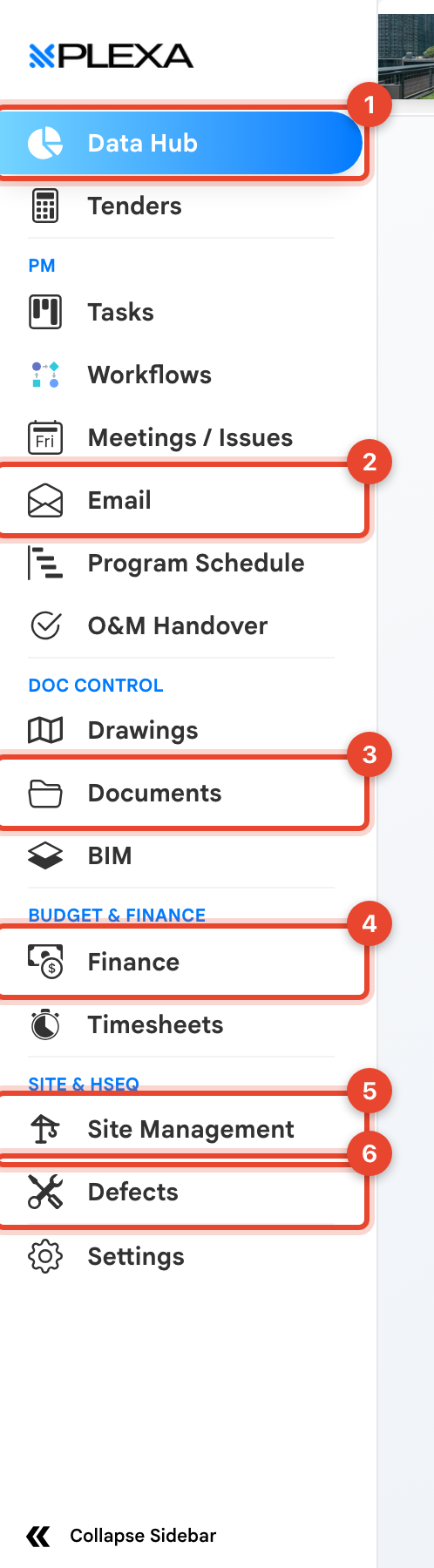
1 Data Hub · 2 Correspondence · 3 Documents · 4 Finance · 5 Site Management · 6 Defects
The Sidebar Groups
DATA HUB AND DASHBOARD
- "Data Hub" is the reporting view across your project
- "Directory" holds the companies and people attached to the project
PM
- "Tasks", "Workflows" and "Meetings / Issues" cover day-to-day coordination
- "Correspondence" is Plexa's project email — a recorded, searchable trail rather than a personal inbox
- "Program Schedule" holds the construction programme
DOC CONTROL
- "Documents" is the project's controlled document library
- "Drawings" is a shortcut straight to your drawings folder
PROCUREMENT
- "Procurement" covers tenders, price comparisons, scope and contracts
BUDGET & FINANCE
- "Budget" is the project budget, "Finance" covers purchase orders, claims and invoices
- "Timesheets" records labour
SITE & HSEQ
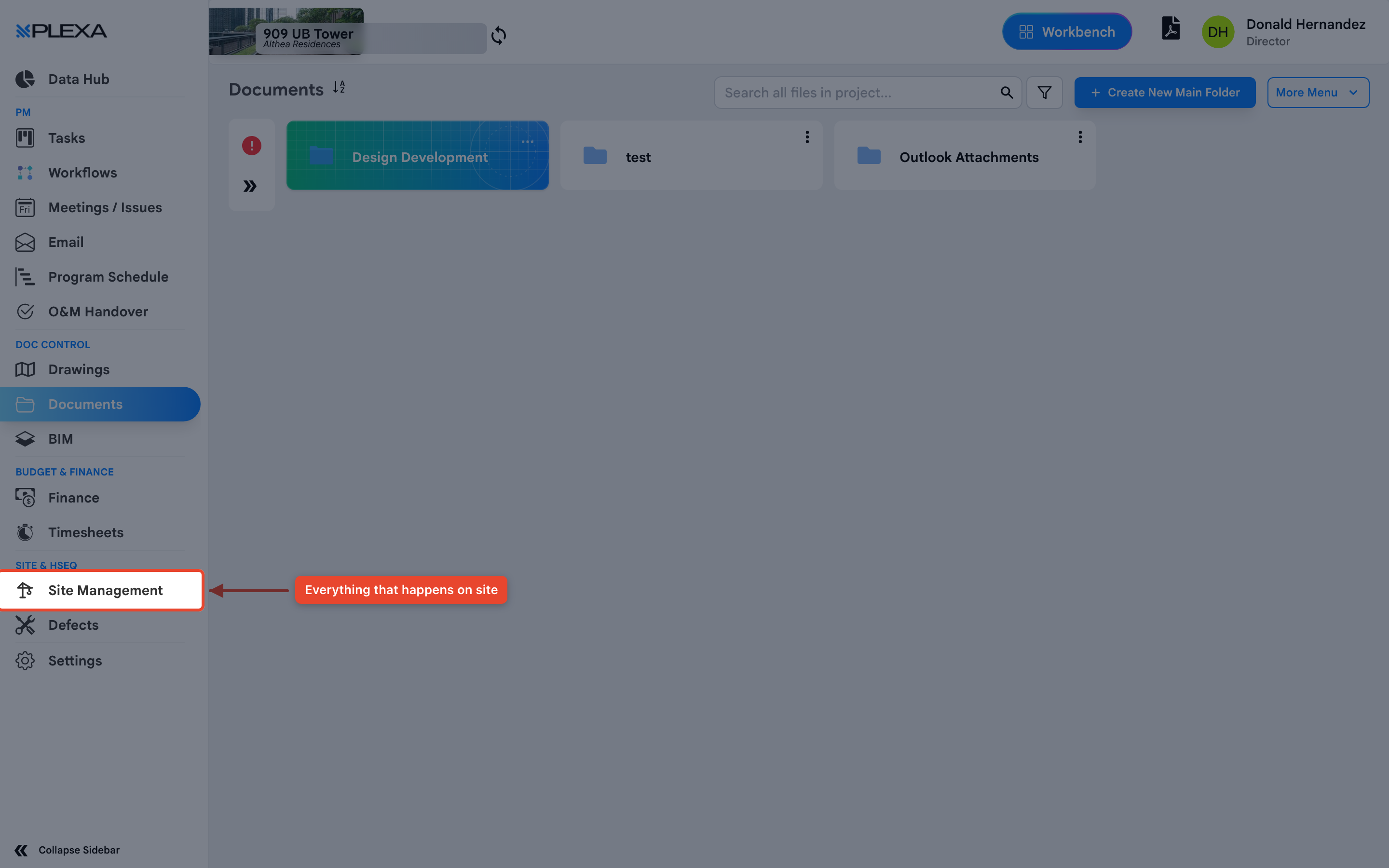
- "Site Management" is everything that happens on site — diary, photos, personnel, safety, permits and quality
- "Defects" tracks defects through to close-out
Site Management Holds the Most
If your work is on site, "Site Management" is where you will spend your time. It opens its own "Site Menu", covering Safety Management, Meetings & Inspections, Quality Management, Site Diary, Site Photos, Weekly Site Report, Bulletins, Bookings & Deliveries, Delivery Dockets, Dilap Reports and Surveys.
Give Yourself More Room
Select "Collapse Sidebar" at the bottom to shrink the sidebar to icons. Hovering over an icon still shows its name, so you keep navigation while gaining width for wide tables and drawings.
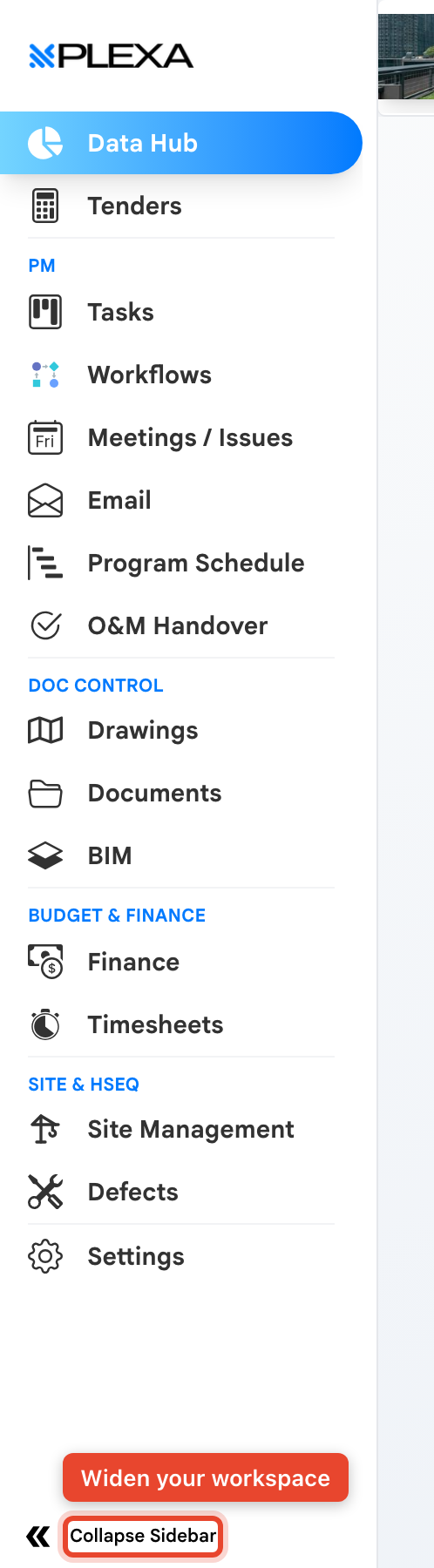
Your sidebar will not match this one exactly. Modules appear only where your role and the project's setup allow, so a shorter list is normal rather than a fault.
Notes & Recommendations
- "Bookings & Deliveries", "BIM" and a few registers open in a new browser tab — check your tabs before assuming nothing happened
- The sidebar only shows what your role allows, so it is shorter for some people than others
- Selecting the Plexa logo at the top returns you to the Dashboard to change project
Need More Support?
For Individual requests related to using Plexa Tools, Contact PLEXA SUPPORT
Email: support@plexapro.com
Phone: 1300 117 140
We're here to help you get the most out of Plexa.