Meetings and Issues
This module keeps project meetings and design issues together. Meetings are recorded with their agenda, attendees and minutes; design issues track the questions raised against the design until they are resolved. Both carry their own reference numbers, so decisions can be traced later.
Step By Step Guide
Select "Meetings / Issues" in the Plexa sidebar
Select "New Project Meeting"
Choose the meeting type, set the date and time, and add attendees
Save. The meeting is listed under "Upcoming" with a reference such as "DMN-0022"
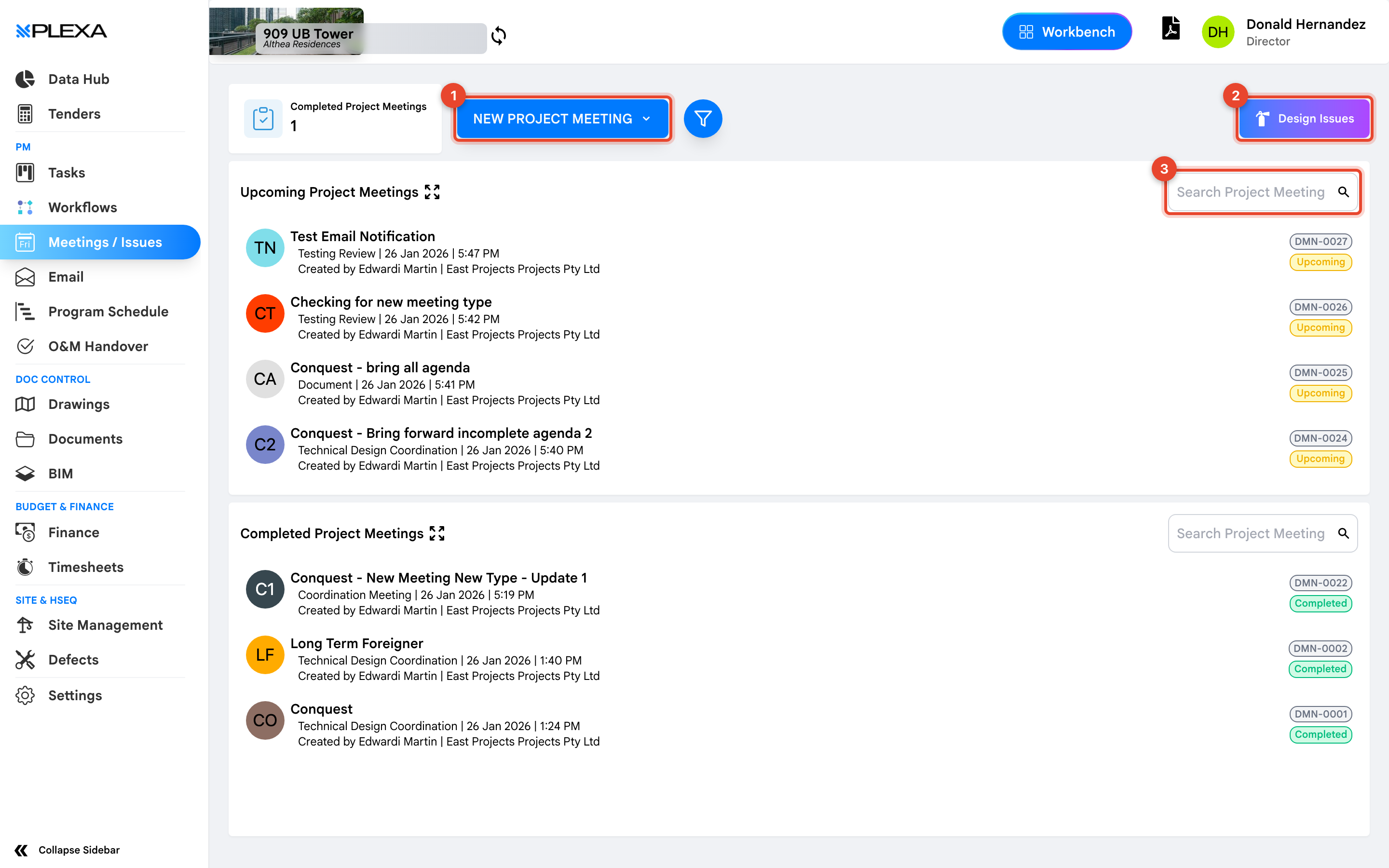
1 "New Project Meeting" · 2 "Design Issues" · 3 "Search Project Meeting"
Upcoming and Completed
Meetings are grouped into "Upcoming" and "Completed Project Meetings". Each entry shows its title, meeting type — such as "Coordination Meeting" or "Technical Design Coordination" — the date and time, and who created it along with their company.
Record the minutes against the meeting rather than emailing them separately. The meeting record is what people search months later.
Design Issues
Select "Design Issues" to switch from meetings to the design issue register. Use it for questions against the design that need an answer before work proceeds — kept separate from Defects, which is for work already built.
Notes & Recommendations
- Use "Search Project Meeting" to find a meeting by title rather than scrolling the list
- Meeting types are configured per project, so the list you see may differ from another project's
- A design issue and a defect are not the same thing. Design issues question the drawings; defects record work that was built wrong
Need More Support?
For Individual requests related to using Plexa Tools, Contact PLEXA SUPPORT
Email: support@plexapro.com
Phone: 1300 117 140
We're here to help you get the most out of Plexa.