Documents
Documents is the project's controlled library. Drawings, specifications, reports and anything transmitted to another company live here, in a folder structure shared by everyone on the project, so there is one current version rather than a copy in each person's downloads folder.
Step By Step Guide
Select "Documents" in the Plexa sidebar
Open a folder to see its contents, or search across the whole project
Use "Create New Main Folder" to add a new top-level folder
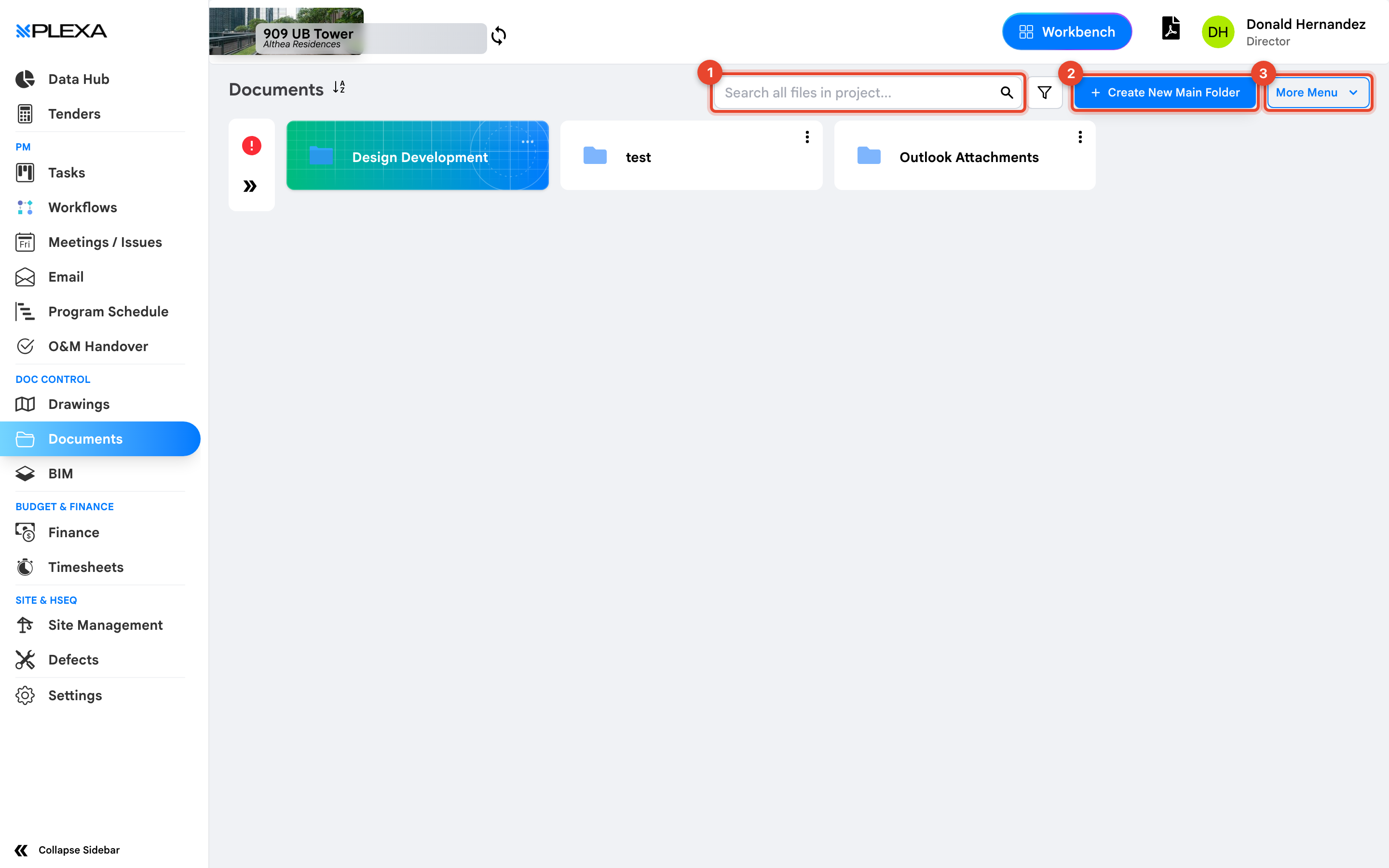
1 "Search all files in project" · 2 "Create New Main Folder" · 3 "More Menu"
"Search all files in project" looks across every folder at once. Use it before browsing — it is almost always faster than clicking through the tree.
To add a top-level folder, see Create a Document Folder.
Drawings Have Their Own Shortcut
"Drawings" in the sidebar is a shortcut straight to the project's drawings folder. It is the same library, opened at the folder you most likely want, so you do not have to navigate there each time.
Notes & Recommendations
- Folder access follows project permissions. If a folder is missing, it has not been shared with your role
- "More Menu" holds the bulk actions — transmitting documents to another company, and moving or downloading in bulk
- Documents attached to emails arrive in an "Outlook Attachments" folder rather than the folder tree you built
- Upload the current revision rather than renaming files locally. Superseding a document keeps the history intact
Need More Support?
For Individual requests related to using Plexa Tools, Contact PLEXA SUPPORT
Email: support@plexapro.com
Phone: 1300 117 140
We're here to help you get the most out of Plexa.