Create a Document Folder
Main folders are the top level of the project's document library. Getting the structure right early matters more than it looks, because everyone on the project navigates by it and folders are harder to reorganise once files are filed against them.
Step By Step Guide
OPEN DOCUMENTS
Select "Documents" in the Plexa sidebar, then select "Create New Main Folder"
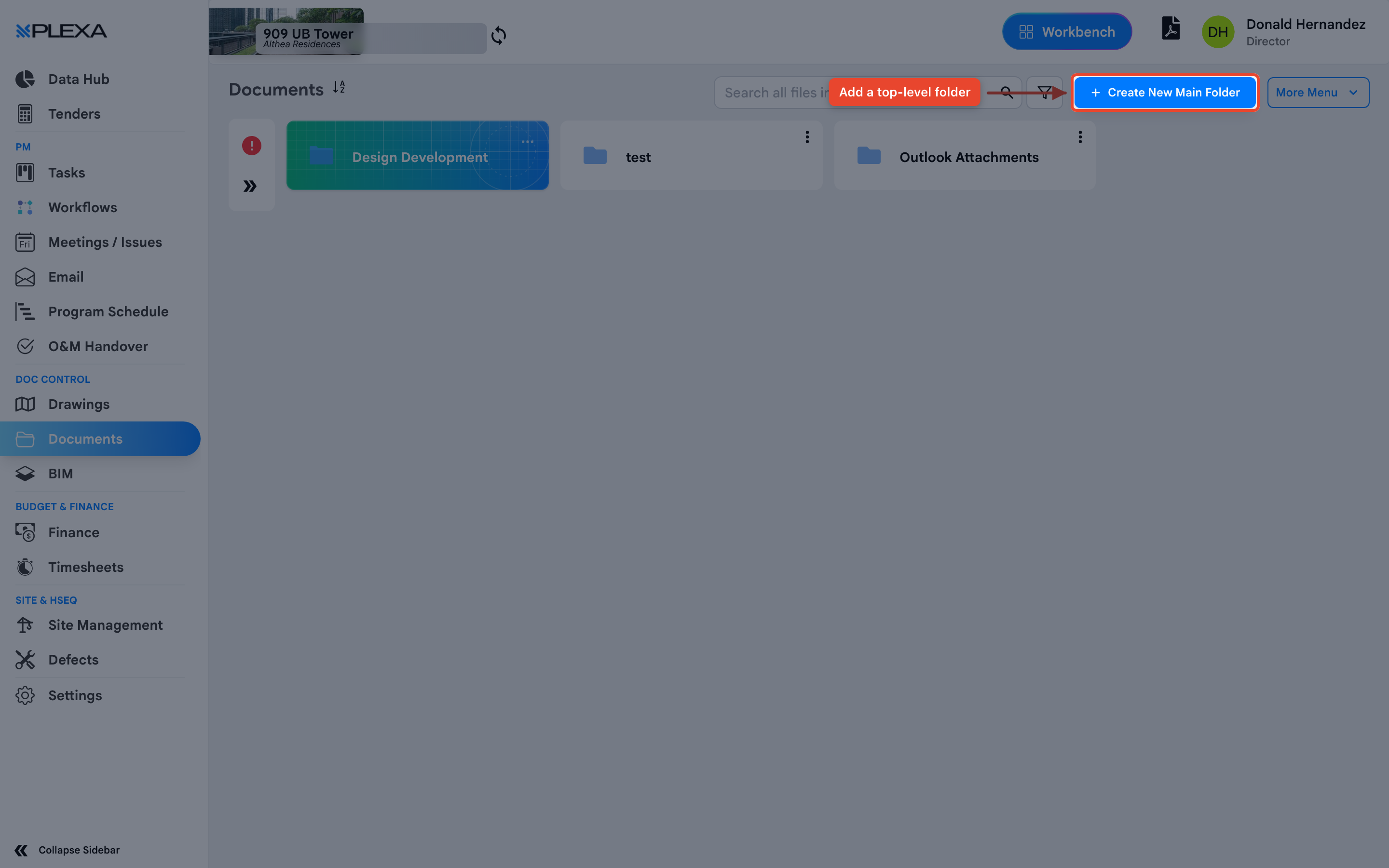
NAME IT
Enter a "Folder Name", then select "Save"
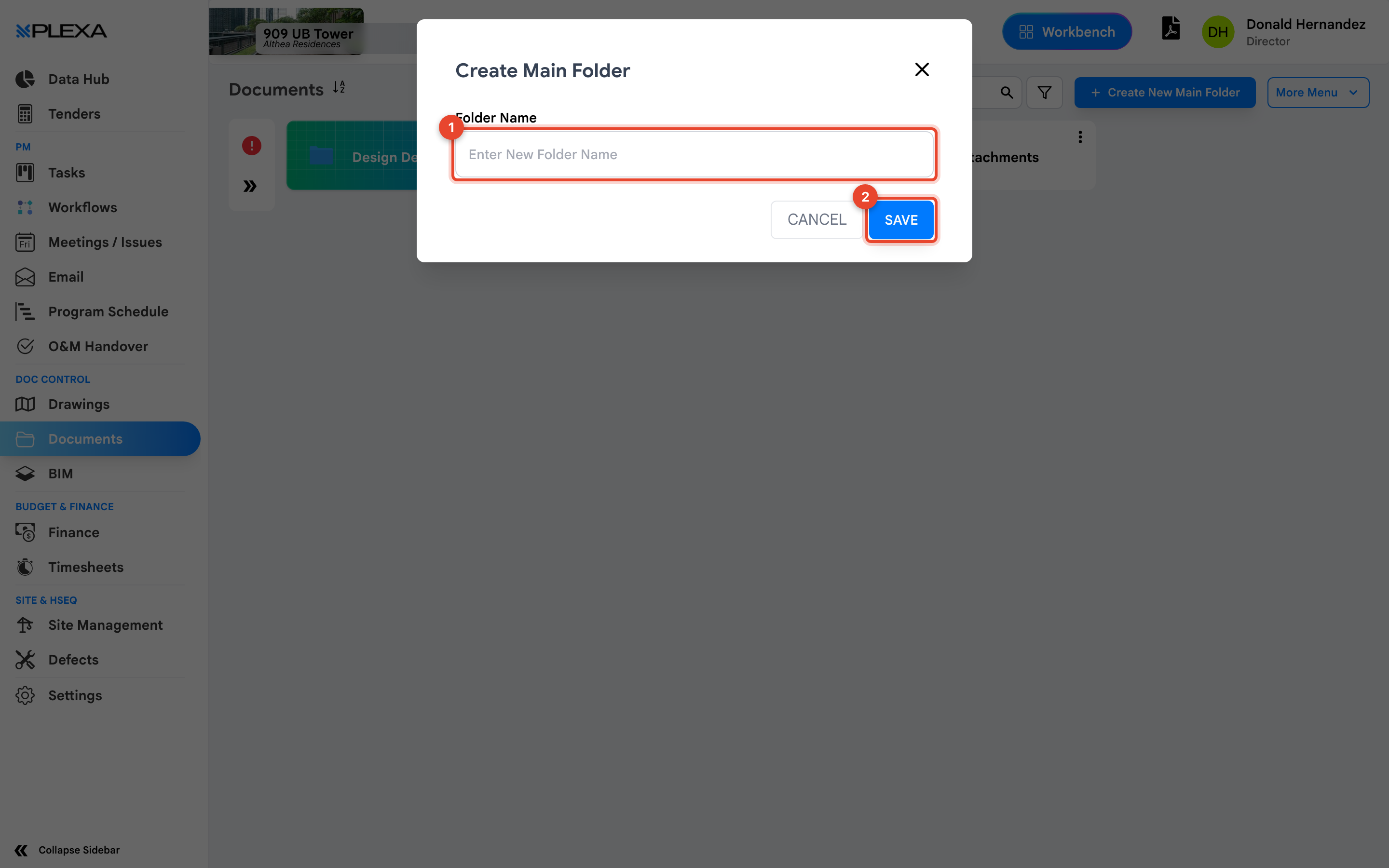
1 "Folder Name" · 2 "Save"
Agree the folder structure with the project team before creating it. Renaming a folder later is easy; unpicking files filed into the wrong structure is not.
Naming That Stays Usable
- Name folders for what they hold, not who created them — Structural Drawings, not John's uploads
- Keep the top level short. A dozen main folders is navigable; forty is not
- Match the naming your organisation already uses on other projects, so people arriving mid-job know where to look
Notes & Recommendations
- Folder permissions follow the project. If a colleague cannot see a folder you created, their role does not include it
- "More Menu" holds bulk actions once folders exist — transmitting, moving and downloading in bulk
- Documents arriving from email are filed automatically into "Outlook Attachments" rather than your structure, so review that folder periodically
Need More Support?
For Individual requests related to using Plexa Tools, Contact PLEXA SUPPORT
Email: support@plexapro.com
Phone: 1300 117 140
We're here to help you get the most out of Plexa.