Tenders
Tenders is where your company sees the packages it has been invited to price. It sits above the project list rather than inside a project, because an invitation arrives before you have been added to the job.
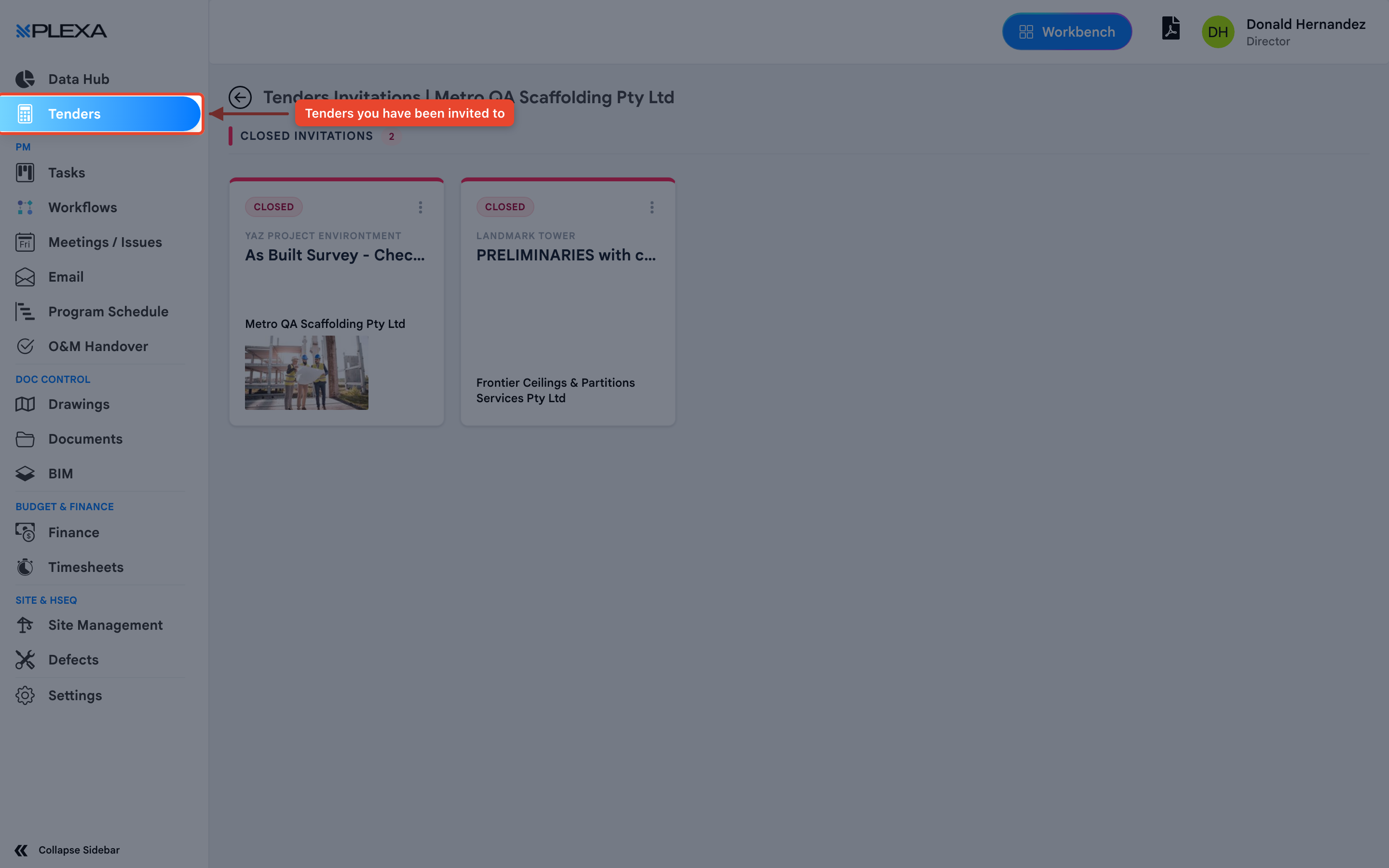
Finding Your Invitations
Select "Tenders" near the top of the Plexa sidebar
The page opens on "Tenders Invitations" for your company
Select an invitation to see the package, the documents and what is being asked for
Each invitation shows the project, the package being tendered — such as "As Built Survey" or "Preliminaries" — the company it was issued to, and a status. "Closed Invitations" are packages no longer open for pricing.
"Tenders" only appears in the sidebar when your company has tender invitations. If it is missing, none have been issued to you.
Tenders and Procurement
There are two sides to the same process, and which you see depends on who you are:
- Tenders — the invitee's view. The packages your company has been asked to price
- Procurement — the project team's view. Issuing packages, comparing prices and awarding contracts
If you are pricing work for someone else's project, Tenders is your view of it.
Notes & Recommendations
- Invitations are issued to a company, not a person, so a colleague may see the same list
- Check the closing date before starting a submission — closed invitations can be viewed but not priced
- Tender documents live with the invitation, so download them from there rather than asking for an email
Need More Support?
For Individual requests related to using Plexa Tools, Contact PLEXA SUPPORT
Email: support@plexapro.com
Phone: 1300 117 140
We're here to help you get the most out of Plexa.