Choose Your Project
Almost everything in Plexa belongs to a project — correspondence, documents, site records, costs and defects are all filed against one. Selecting a project is what fills the sidebar with real work, and it is the first thing to do after signing in.
Step By Step Guide
Sign in. Plexa opens the "Dashboard" and prompts you to choose a project
Select "Select Project to Start..."
Find your project — use "Search for project code or name", or filter by "Active", "Completed" or "Archived"
Select the "Project" card, then select "Save"

The "Select Project" window lists every project you have access to. Search is quickest once there are more than a screenful.
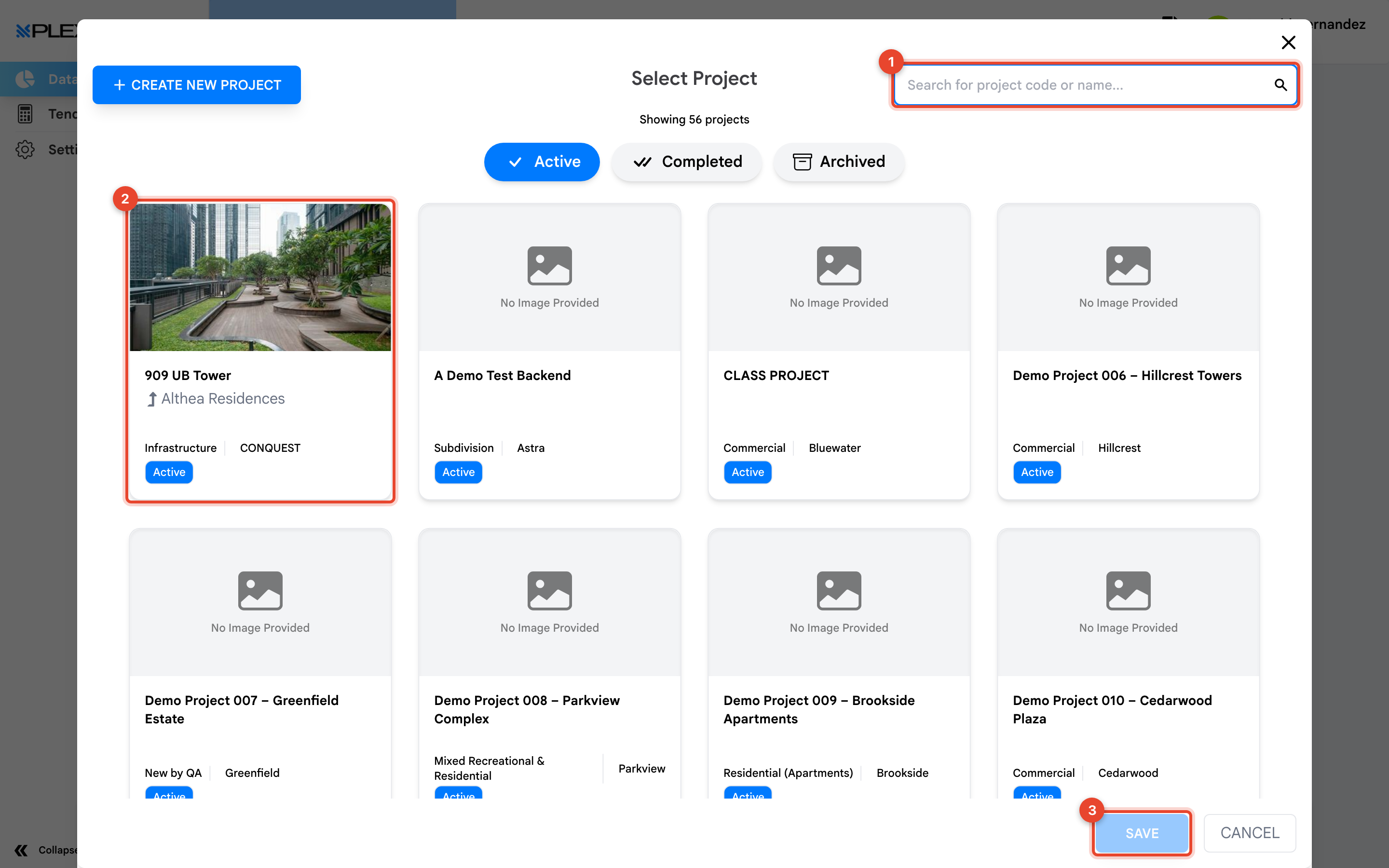
1 Search for a project · 2 The project card · 3 "Save"
Until you choose a project the sidebar shows only Data Hub and Settings. It fills out as soon as a project is loaded.
Why Modules Look Empty Without a Project
Most Plexa addresses include the project itself, so a module cannot show you anything until it knows which project you mean. If you open a module with no project selected, Plexa sends you back to the Dashboard to choose one. This is the single most common reason new users think Plexa is broken.
Switch Between Projects
Return to the "Dashboard" at any time using the Plexa logo at the top of the sidebar, then select a different project. Your place in the module you were using is not carried across — switching project changes the data underneath every module at once.
Notes & Recommendations
- If a project you expect is missing, you have not been added to it. Contact your Plexa Admin rather than creating a new one
- Projects can have subprojects nested beneath them. Check under a parent project before assuming a site is missing
- Archived projects are hidden by default, so an old project disappearing from the list usually means it has been closed out, not deleted
Need More Support?
For Individual requests related to using Plexa Tools, Contact PLEXA SUPPORT
Email: support@plexapro.com
Phone: 1300 117 140
We're here to help you get the most out of Plexa.