Two-Factor Authentication
Two-factor authentication adds a second check to signing in: your password, then a short code from your phone. A password that has been guessed, reused or phished is no longer enough on its own, which matters on a platform holding contracts, costs and site records.
Plexa calls this MFA — multi-factor authentication. Whether you use it is decided by your organisation's Plexa Admin, not by you individually, so it may appear one day without you having changed anything.
What Changes at Sign-In
Nothing until MFA is switched on for you. After that, signing in gains one step: you enter your email and password as usual, then Plexa asks for a code.
What it asks for depends on the method your organisation has chosen:
| Method | What Plexa asks | Where the code comes from |
|---|---|---|
| Authenticator app | "Enter the code from your authenticator app." | An app on your phone, refreshed every 30 seconds |
| SMS | "Enter the code sent to your phone via SMS." | A text message to your registered mobile |
| Either | "Enter the code from your two-factor authenticator app or SMS." | Whichever you set up |
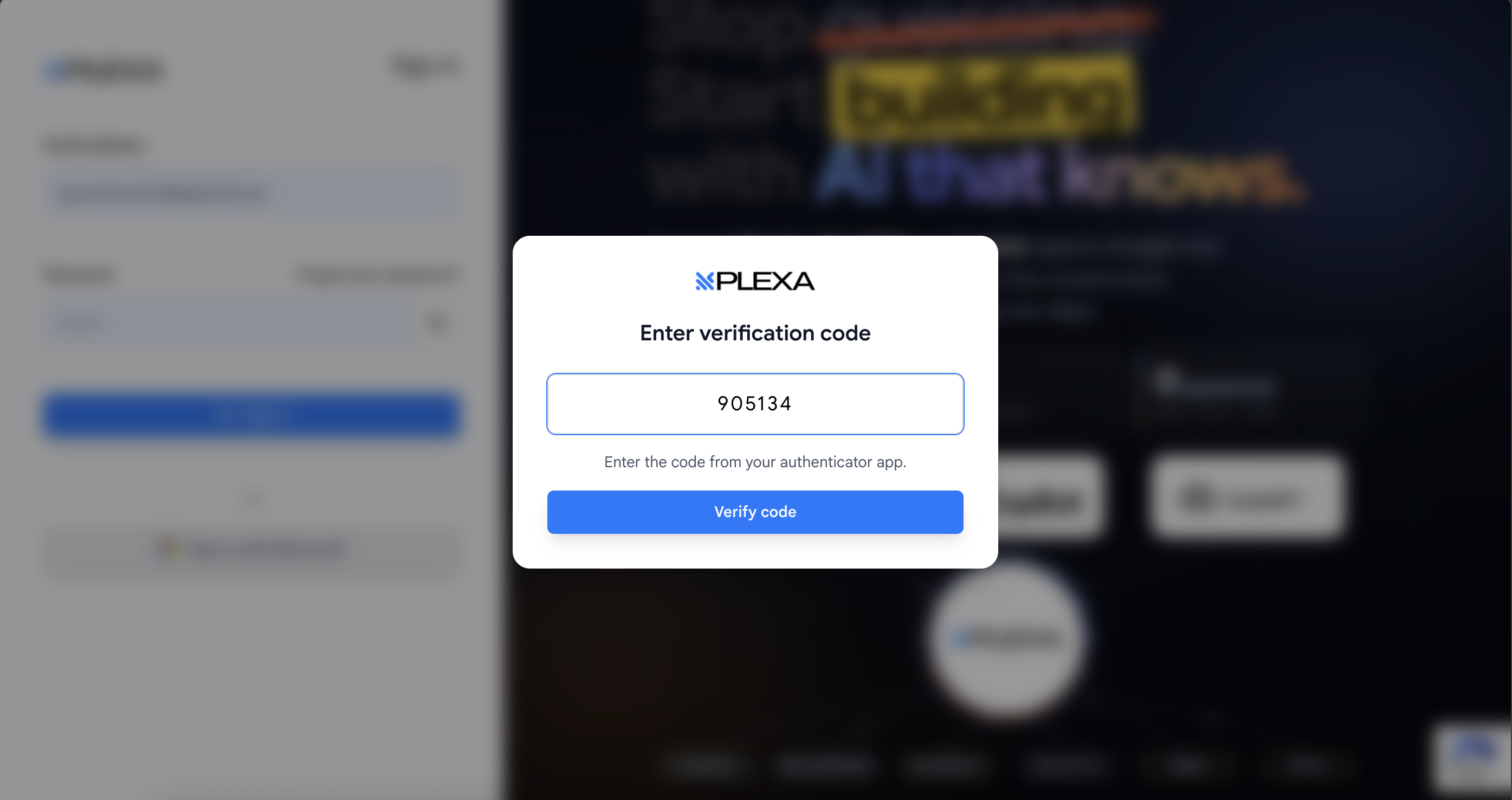
Whatever the method, a recovery code works in place of a six-digit code. That is what gets you in when your phone is lost, flat, or in a lunchbox on the other side of site.
Set Up an Authenticator App
The first time you sign in after MFA is switched on, Plexa walks you through enrolment before letting you through. Have your phone with you.
INSTALL AN AUTHENTICATOR APP
Any standard authenticator app works — Plexa uses the usual time-based code standard. If your organisation already uses one for other systems, use that
SCAN THE QR CODE
Plexa shows a QR code. Scan it with the app. If the camera will not cooperate, enter the secret key shown beneath the code by hand instead
CONFIRM IT WORKS
Enter your Plexa password and the code your app is currently showing, then continue. This proves the app and Plexa agree before you are locked into it
SAVE YOUR RECOVERY CODES
Plexa lists your recovery codes and asks you to confirm you have saved them. This is the only time they are shown
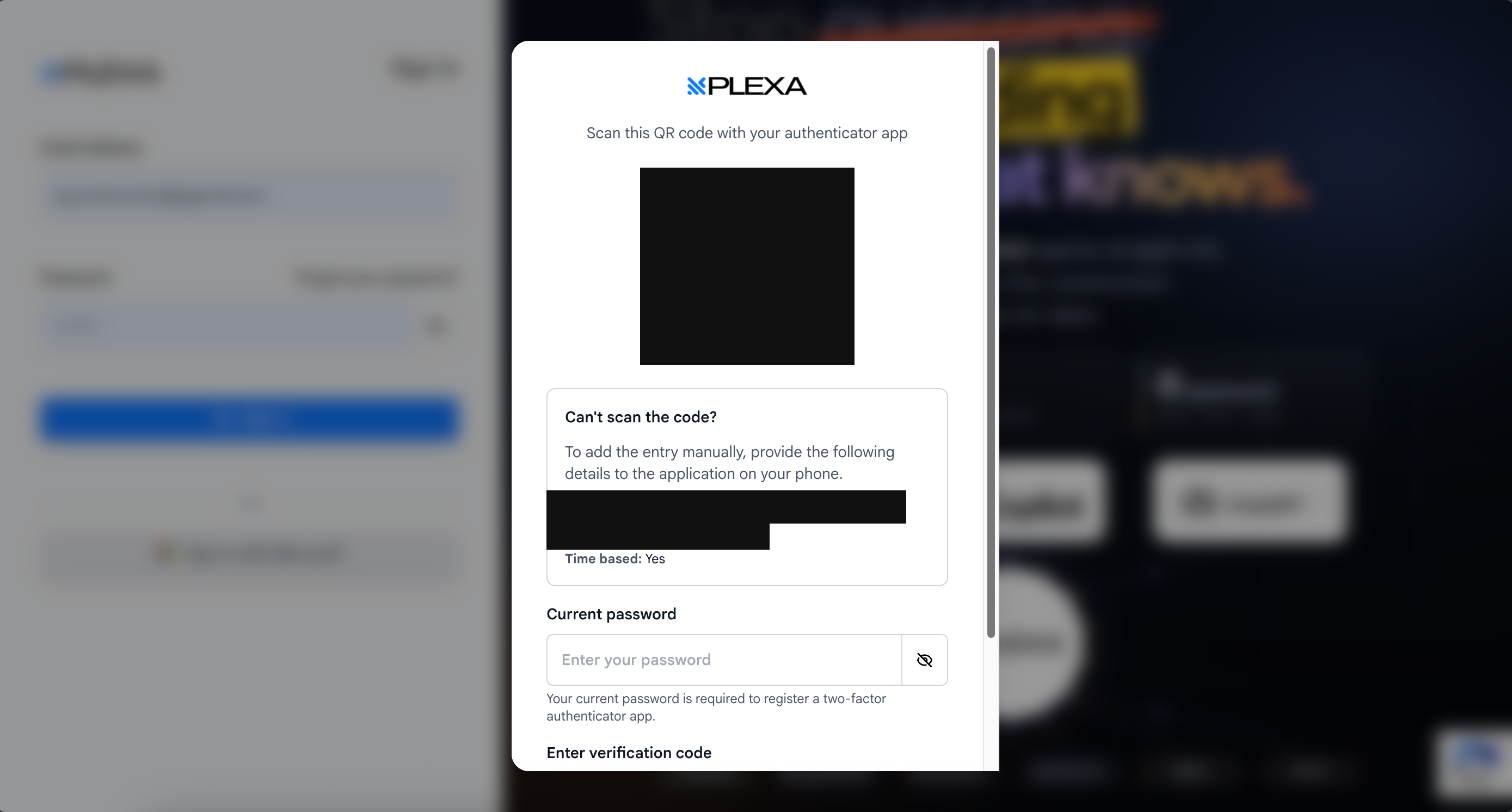
The QR code, the account name and the secret key are blacked out above — those are credentials, and yours are unique to you.
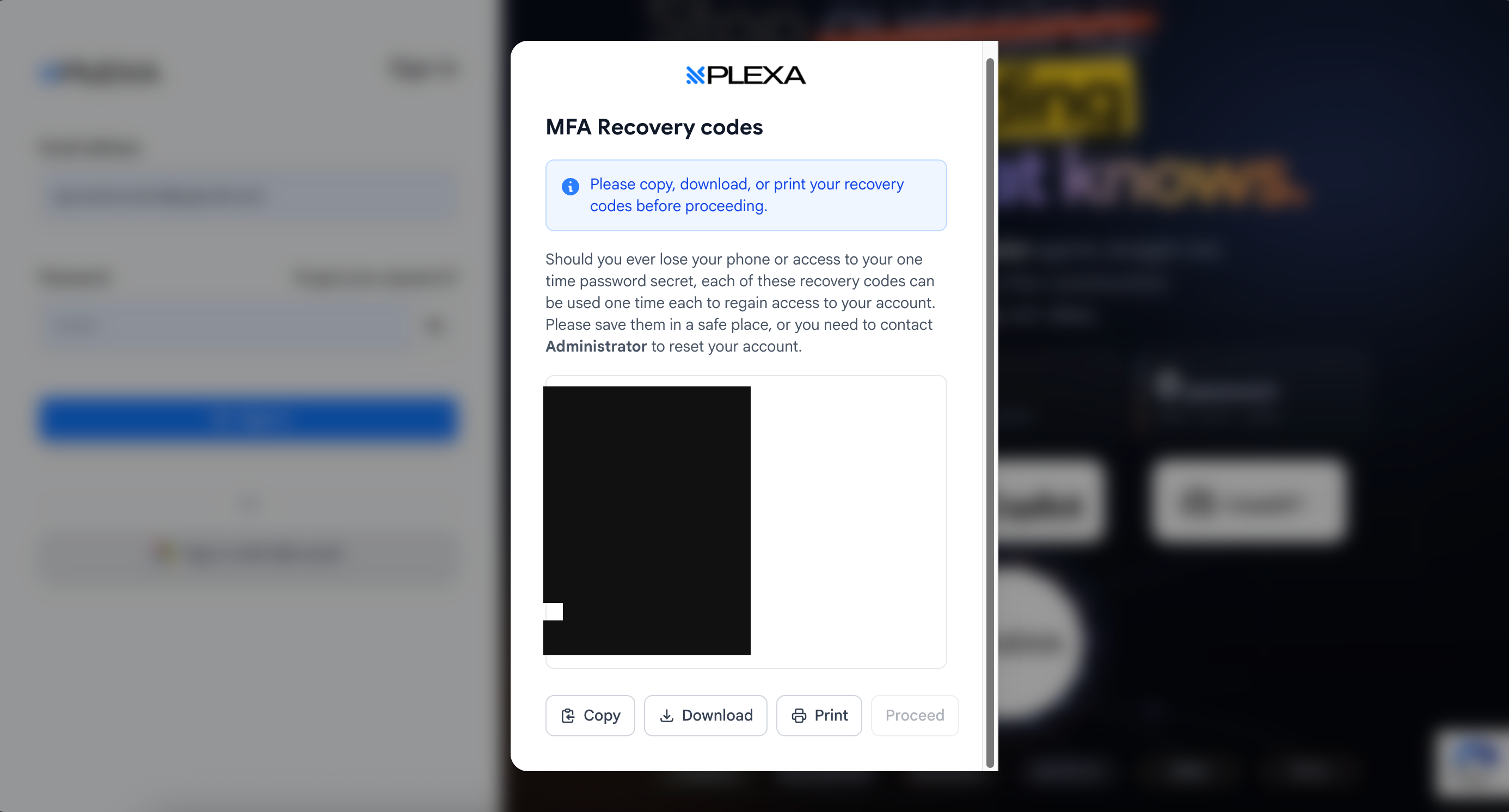
Ten codes, each usable once. Copy, Download or Print them before selecting "Proceed" — the list is redacted here for the same reason.
Save your recovery codes somewhere you can reach without your phone — a password manager, or printed and kept somewhere secure. Screenshotting them to the same phone that holds the authenticator defeats the purpose.
Using SMS
If your organisation uses SMS, Plexa texts a code to your registered mobile. If it does not hold a number for you yet, it asks for one during sign-in.
A new code can be sent after a short countdown, so wait for the timer rather than requesting repeatedly.
On site, an authenticator app is the more reliable choice. It generates codes with no signal at all, while SMS needs reception at exactly the moment you are trying to sign in.
If You Lose Your Phone
- Sign in as usual and enter one of your recovery codes in place of the six-digit code
- Once in, enrol your new device
- If you have lost the recovery codes as well, ask a Plexa Admin to reset your enrolment — they can clear it from Settings, and you will set it up again at your next sign-in
Are you the person switching this on? See MFA for Administrators.
Notes & Recommendations
- Enrol before you need to. Setting up an authenticator app at the gate on one bar of signal is nobody's idea of a good morning
- Recovery codes are shown once. Losing both your device and your codes means an Admin has to intervene
- Signing in with Microsoft follows your organisation's Microsoft policy rather than Plexa's — if Microsoft already asks for a second factor, that is the one that applies
- Codes are time-based and short-lived. If yours is rejected, check your phone's clock is set automatically before assuming the setup is wrong
Need More Support?
For Individual requests related to using Plexa Tools, Contact PLEXA SUPPORT
Email: support@plexapro.com
Phone: 1300 117 140
We're here to help you get the most out of Plexa.