Single Sign-On
Single sign-on lets your people sign in to Plexa with their existing Microsoft work account instead of a separate Plexa password. Accounts are then created, disabled and governed wherever your organisation already manages identity.
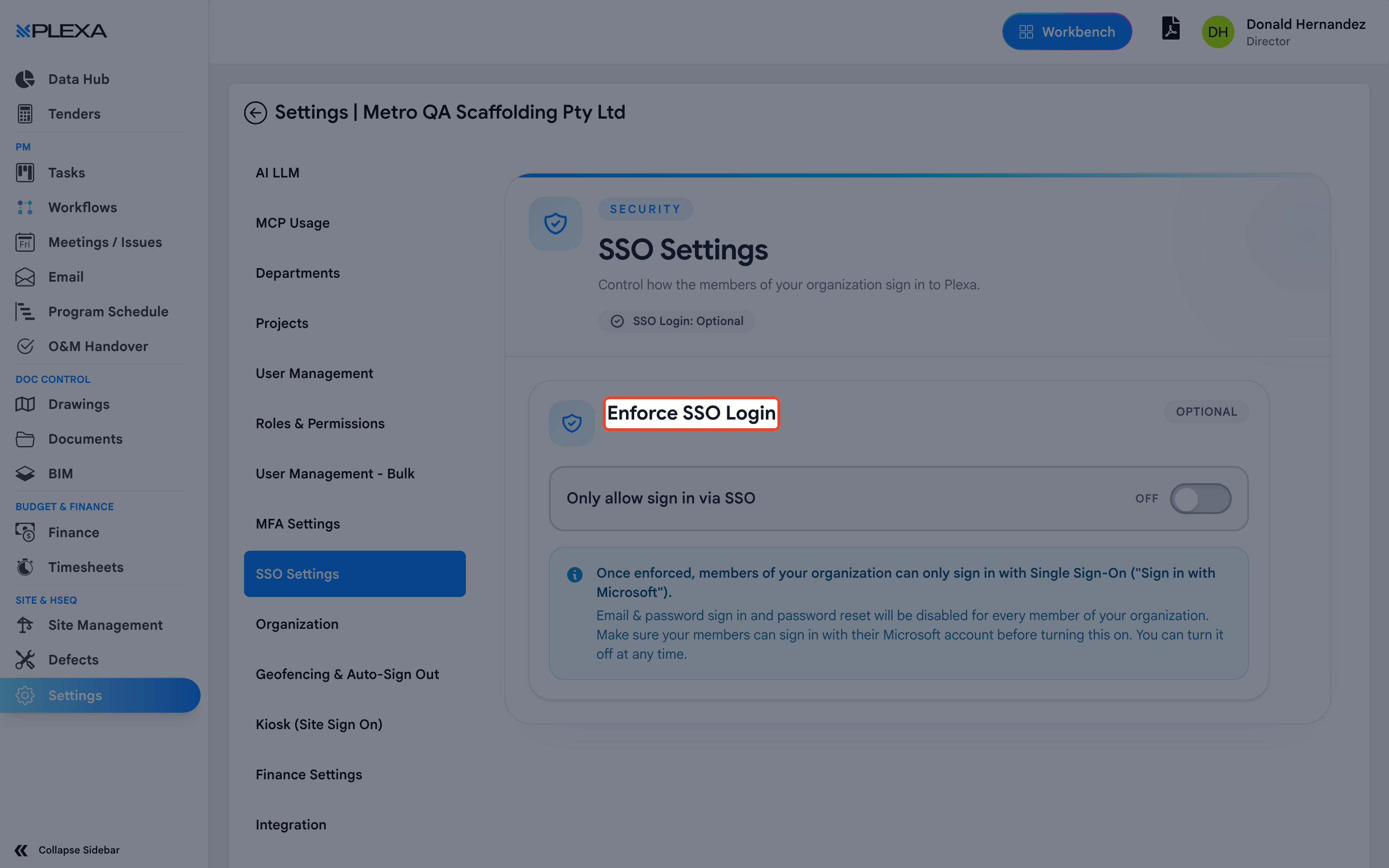
Optional or Enforced
The page states the current position plainly — "SSO Login: Optional" or enforced.
- Optional — people may sign in with "Sign in with Microsoft" or with an email and password
- Enforced — "Only allow sign in via SSO". Everyone must use Microsoft
Enforcing SSO disables email-and-password sign-in and password reset for every member of your organisation. Anyone who cannot sign in with Microsoft has no way back in and no self-service route to fix it.
Before You Enforce It
CHECK EVERY MEMBER CAN USE MICROSOFT
Including people who joined with a personal address, and external staff on your organisation's account. Anyone without a working Microsoft account is locked out the moment you save
TEST THE MICROSOFT SIGN-IN FIRST
While SSO is still optional, have people sign in once with "Sign in with Microsoft". A tenant or consent problem is far easier to fix before password sign-in is switched off
KEEP A ROUTE BACK
Make sure at least one Admin who can definitely sign in with Microsoft is available, so you are not relying on the account you just cut off
SSO and Two-Factor Authentication
The two overlap and it is worth being deliberate. When sign-in goes through Microsoft, whatever second factor Microsoft asks for is the one that applies — Plexa is not the gatekeeper for those accounts. See Two-Factor Authentication for the Plexa side.
Notes & Recommendations
- Treat enforcement as a change with a rollback plan, not a switch. Password reset disappears with it
- SSO governs how people sign in, not what they can see. Roles and project membership still decide that
- Announce it. People who expect a password field and find only a Microsoft button assume the site is broken
Need More Support?
For Individual requests related to using Plexa Tools, Contact PLEXA SUPPORT
Email: support@plexapro.com
Phone: 1300 117 140
We're here to help you get the most out of Plexa.