Correspondence
Correspondence is project email with a permanent record. Every message is filed against the project and given a type and a mail number, so contractual notices, RFIs and transmittals stay searchable long after the person who sent them has moved on. It is a project register, not a personal inbox.
Step By Step Guide
Select "Correspondence" in the Plexa sidebar
Choose a folder — "All Inbox" shows everything received on the project
Select "Compose" to write a new message, or select any row to read one
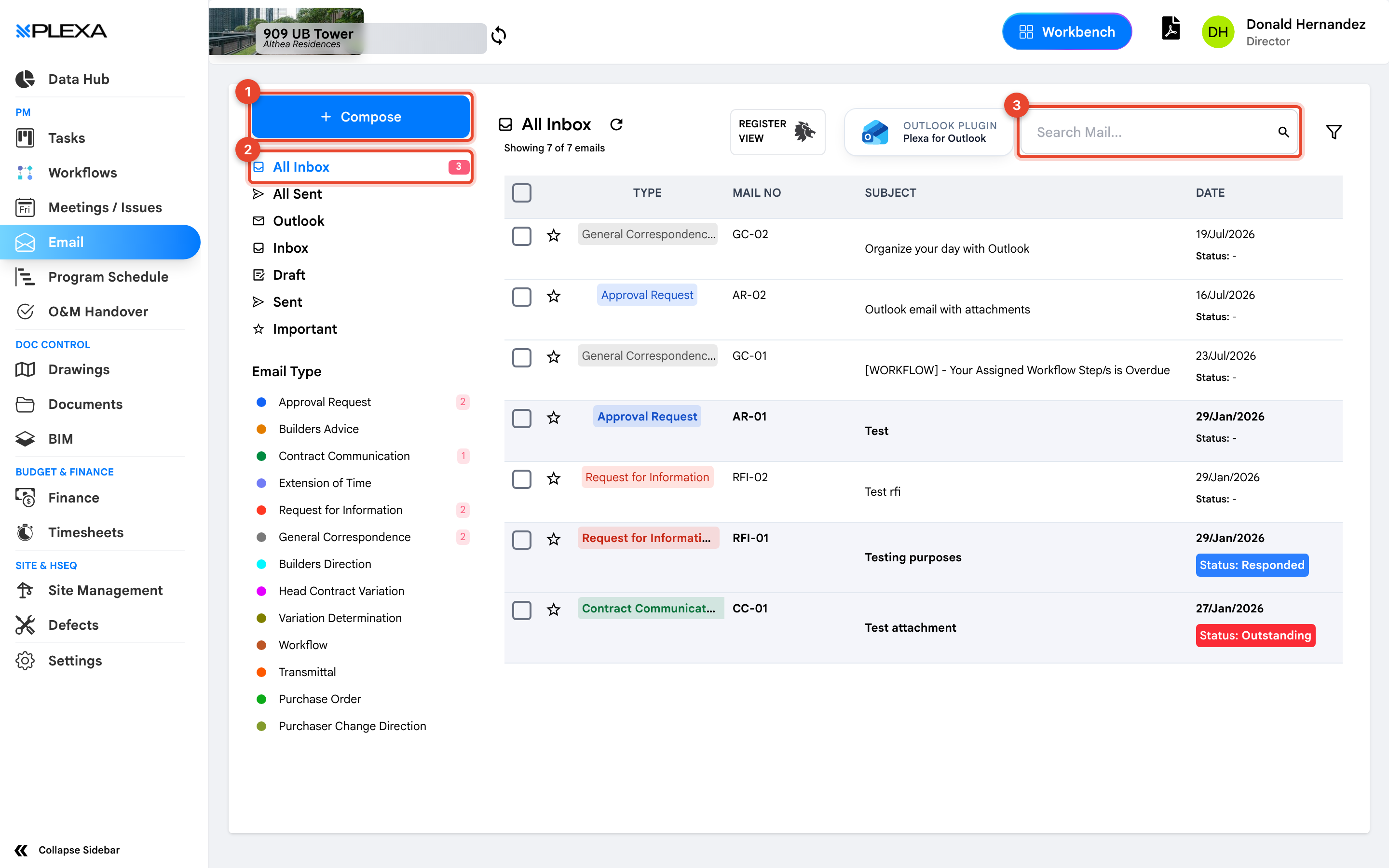
1 "Compose" · 2 The folder tabs · 3 "Search Mail"
For the compose form step by step, see Send Project Correspondence.
The Folders
Correspondence separates mail for the whole project from mail addressed to you.
- "All Inbox" and "All Sent" — everything on the project, regardless of who sent or received it
- "Inbox", "Sent", "Draft" and "Important" — your own mail
- "Outlook" — messages brought in through the Plexa for Outlook plugin
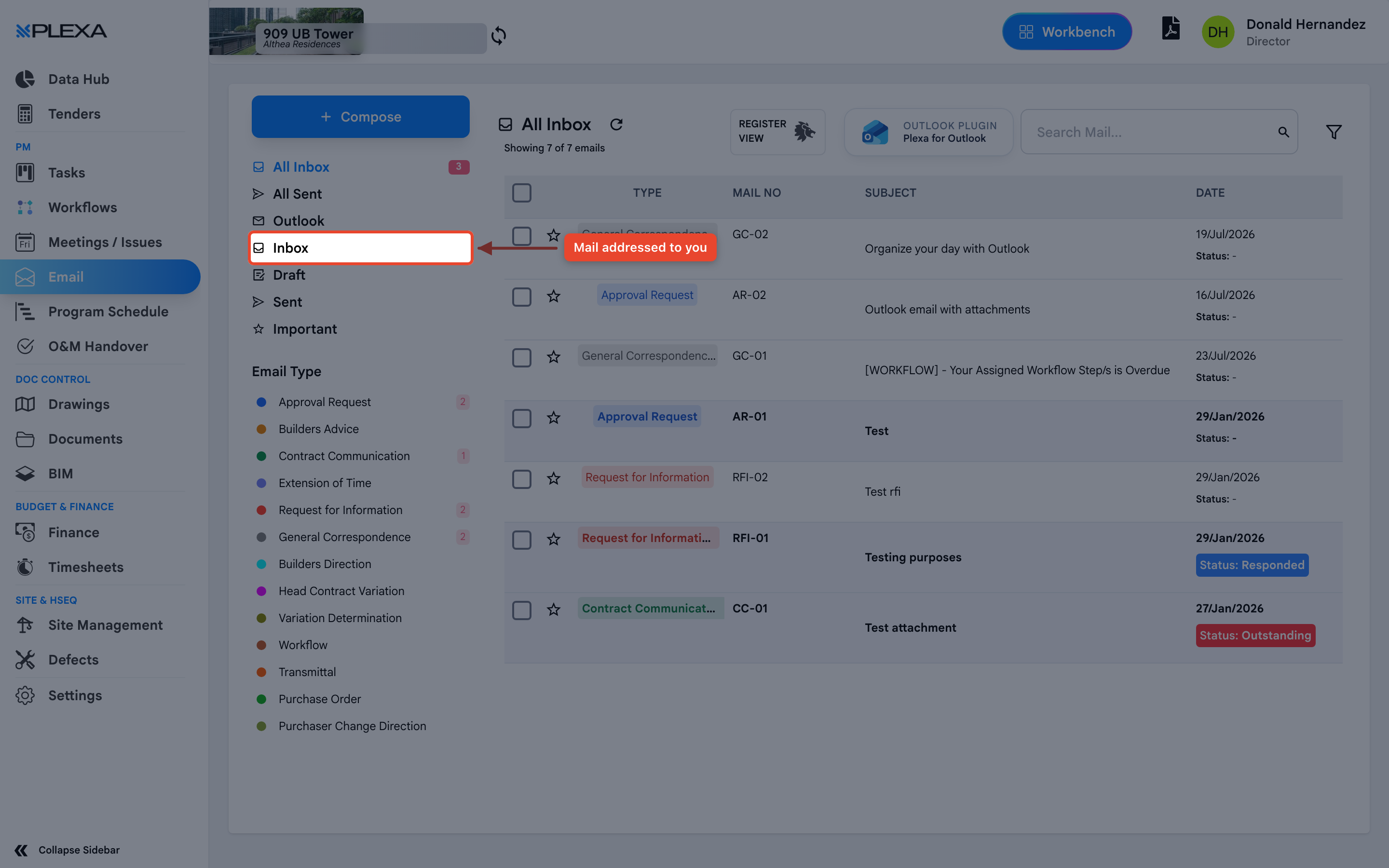
"All Inbox" is usually what you want. A message sent to a colleague still belongs to the project, and you will not see it in your personal Inbox.
Email Types
Every message is filed under a type, shown down the left with a count. Types include "Approval Request", "Contract Communication", "Extension of Time", "Request for Information", "Builders Direction", "Head Contract Variation", "Transmittal" and "General Correspondence".
Select a type to filter the register to just those messages — the fastest way to find every RFI or every variation raised on a project.
Notes & Recommendations
- Choose the correct type when composing. The type drives the mail number and is how people find the message later
- Use "Search Mail" for words in the subject, and the type filter to narrow a long register
- "Register View" switches to a table laid out for reporting and export
Need More Support?
For Individual requests related to using Plexa Tools, Contact PLEXA SUPPORT
Email: support@plexapro.com
Phone: 1300 117 140
We're here to help you get the most out of Plexa.