Permits
A permit to work authorises a specific high-risk activity for a defined period. The permit register shows what has been issued, how far through approval it is, and when it stops being valid.
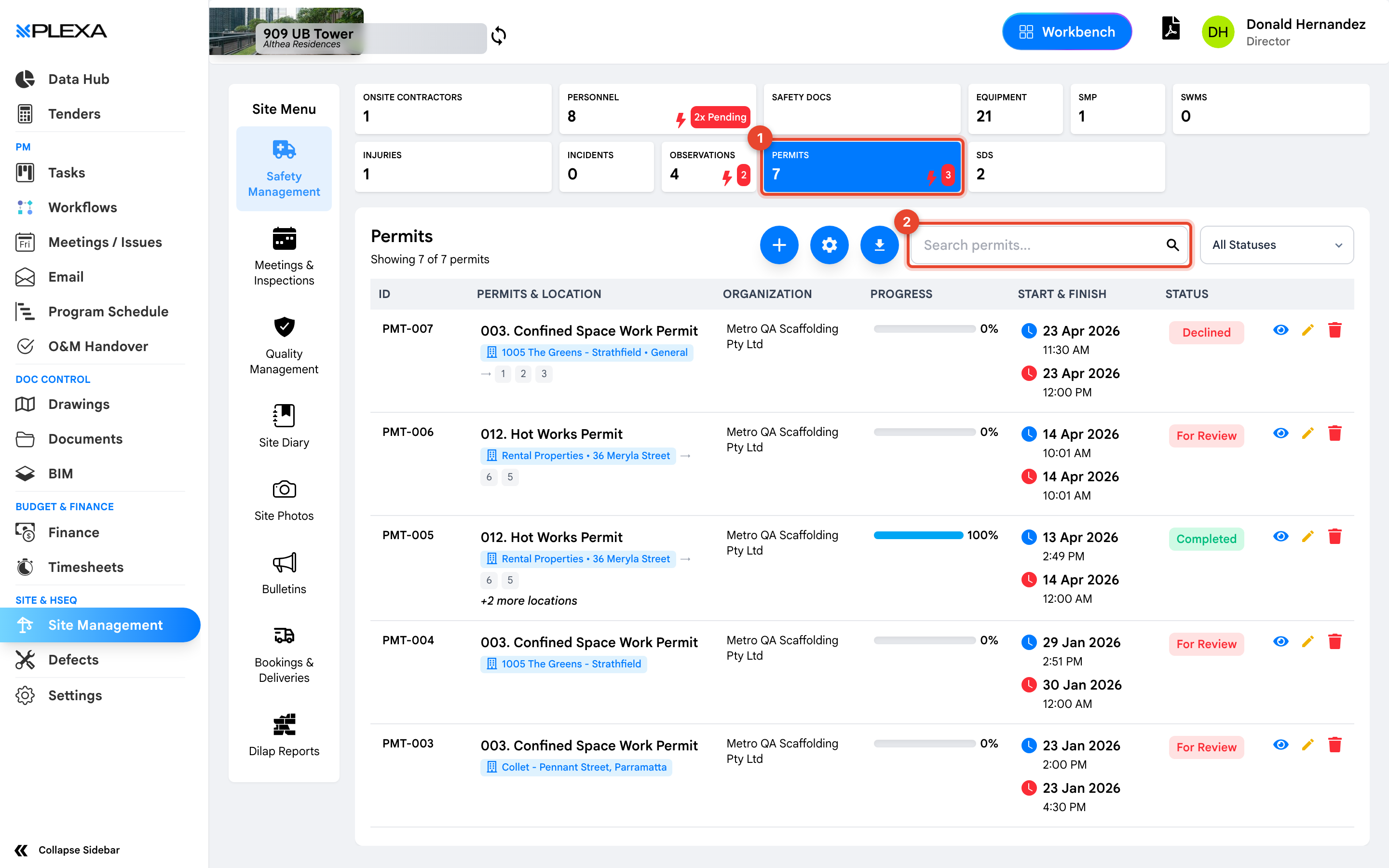
1 The "Permits" tile · 2 "Search permits"
Reading the Register
- Permits & Location — the permit type and where on site it applies
- Organization — the company the permit was issued to
- Progress — how far through the approval and sign-off sequence it is
- Start & Finish — the window the permit is valid for
- Status — the overall state of the permit
"Start & Finish" is the field that matters most. A permit outside its window is not valid, however complete its approvals look.
How Permits Are Used
Permits are raised for activities the project has decided need explicit authorisation — hot works, confined space entry, working at heights, isolations. The permit records who authorised the work, for how long, and under what conditions, so the authorisation can be evidenced afterwards.
Sign-off is often collected on site. Plexa supports signing a permit from a link or QR code, which is why a permit may be approved by someone who never opened the register.
Notes & Recommendations
- Check "Progress" before work starts. A permit in the register is not the same as a permit fully approved
- Filter by "Organization" when auditing a particular subcontractor's authorisations
- Permits are time-boxed by design. If work overruns, a new permit is the correct answer rather than extending the old one informally
Need More Support?
For Individual requests related to using Plexa Tools, Contact PLEXA SUPPORT
Email: support@plexapro.com
Phone: 1300 117 140
We're here to help you get the most out of Plexa.