Safety Management
Safety Management is the front door to eleven registers. It opens on a row of tiles, each showing a live count, and selecting a tile loads that register in the table underneath.
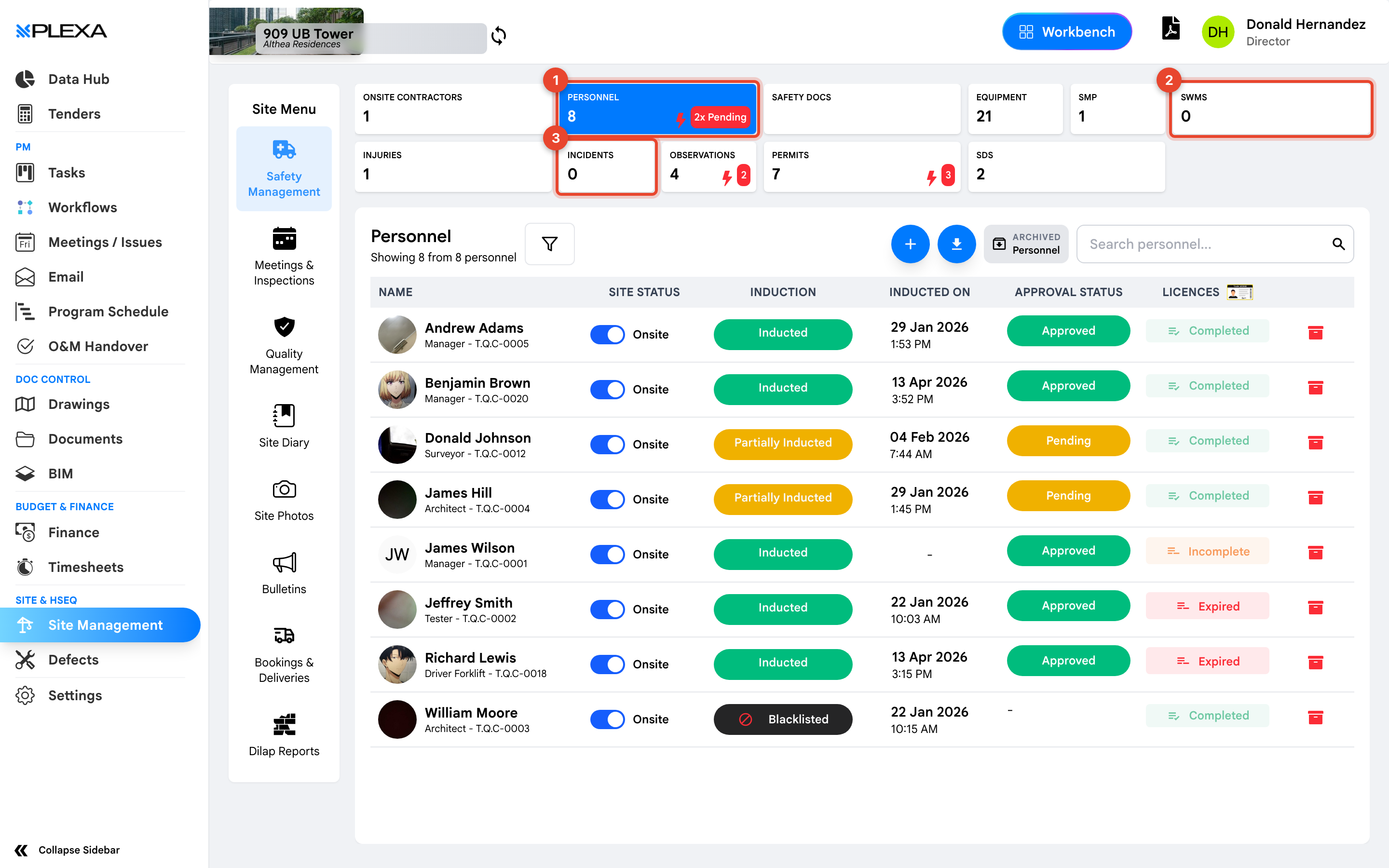
1 The "Personnel" tile · 2 The "SWMS" tile · 3 The "Incidents" tile
The Tiles Are Filters
This is the part that catches people out. The tiles are not just counters — selecting "Permits" replaces the table below with the permit register, and selecting "Personnel" brings the people back. You stay on the same page throughout.
A red marker on a tile means items need attention — personnel pending approval, for example. It is the fastest daily check on this page.
What Each Tile Holds
| Tile | What it records |
|---|---|
| Onsite Contractors | The companies working on site, and their people |
| Personnel | Individual workers, their induction, approval and licences |
| Safety Docs | Project-level safety documentation |
| Equipment | Plant and equipment, with service dates |
| SMP | Safety Management Plans submitted by each company |
| SWMS | Safe Work Method Statements, including high-risk work |
| Injuries | Injuries recorded on the project |
| Incidents | Incidents and near misses |
| Observations | Safety observations raised for action |
| Permits | Permits to work, with a validity window |
| SDS | Safety Data Sheets for hazardous substances |
Notes & Recommendations
- Safety Management opens on Personnel by default — that is the register, not a separate page
- Most registers have their own search box and an Archived view for closed records
- Counts are live. A tile reading zero means nothing has been recorded, not that the register is unavailable
Need More Support?
For Individual requests related to using Plexa Tools, Contact PLEXA SUPPORT
Email: support@plexapro.com
Phone: 1300 117 140
We're here to help you get the most out of Plexa.