Organization Details
The Organization tab holds your company's identity inside Plexa — the name and logo that appear on what you send out, and the colours used in reports.
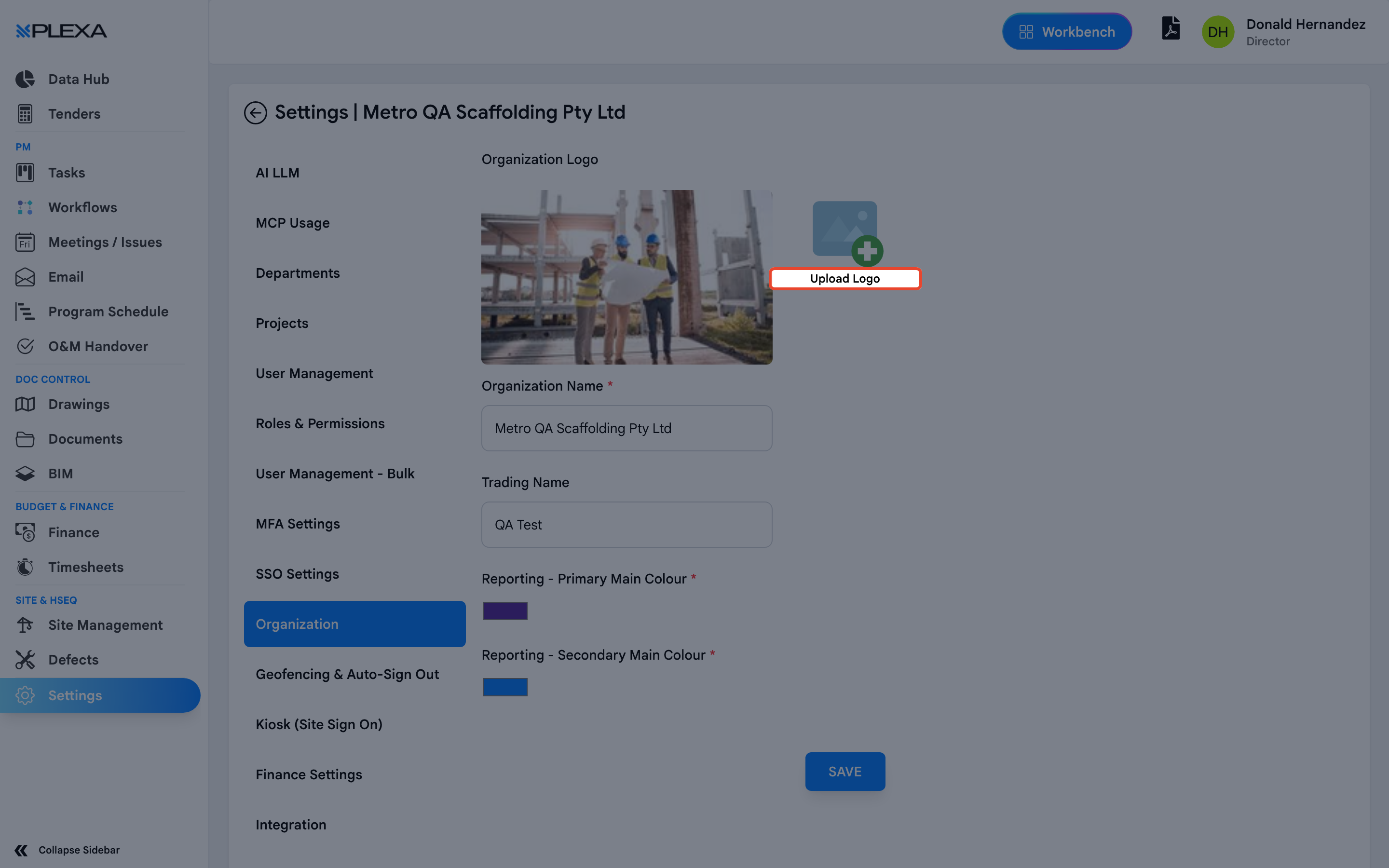
What You Can Set
- Organization Logo — select "Upload Logo". It appears on generated documents and reports
- Organization Name — your registered company name. Required
- Trading Name — the name you trade under, where it differs from the registered one
- Reporting - Primary Main Colour and Reporting - Secondary Main Colour — the two colours applied to generated reports
Select "Save" to apply.
These settings reach further than they look. The logo and colours appear on reports and documents that go to clients and subcontractors, so a placeholder logo here becomes a placeholder logo on outgoing paperwork.
Notes & Recommendations
- Upload a logo with a transparent background where you can — it sits on both light report headers and coloured bands
- Set the reporting colours to your brand once, at setup. Changing them later re-styles new reports but not ones already issued
- Trading Name is worth filling in even when it matches the registered name, so nothing falls back to a blank field
Need More Support?
For Individual requests related to using Plexa Tools, Contact PLEXA SUPPORT
Email: support@plexapro.com
Phone: 1300 117 140
We're here to help you get the most out of Plexa.