Site Diary
The site diary is the daily record of what happened on site — works carried out, weather, labour and plant. It is kept on a calendar rather than as a list, so you navigate to a date rather than scrolling a register.
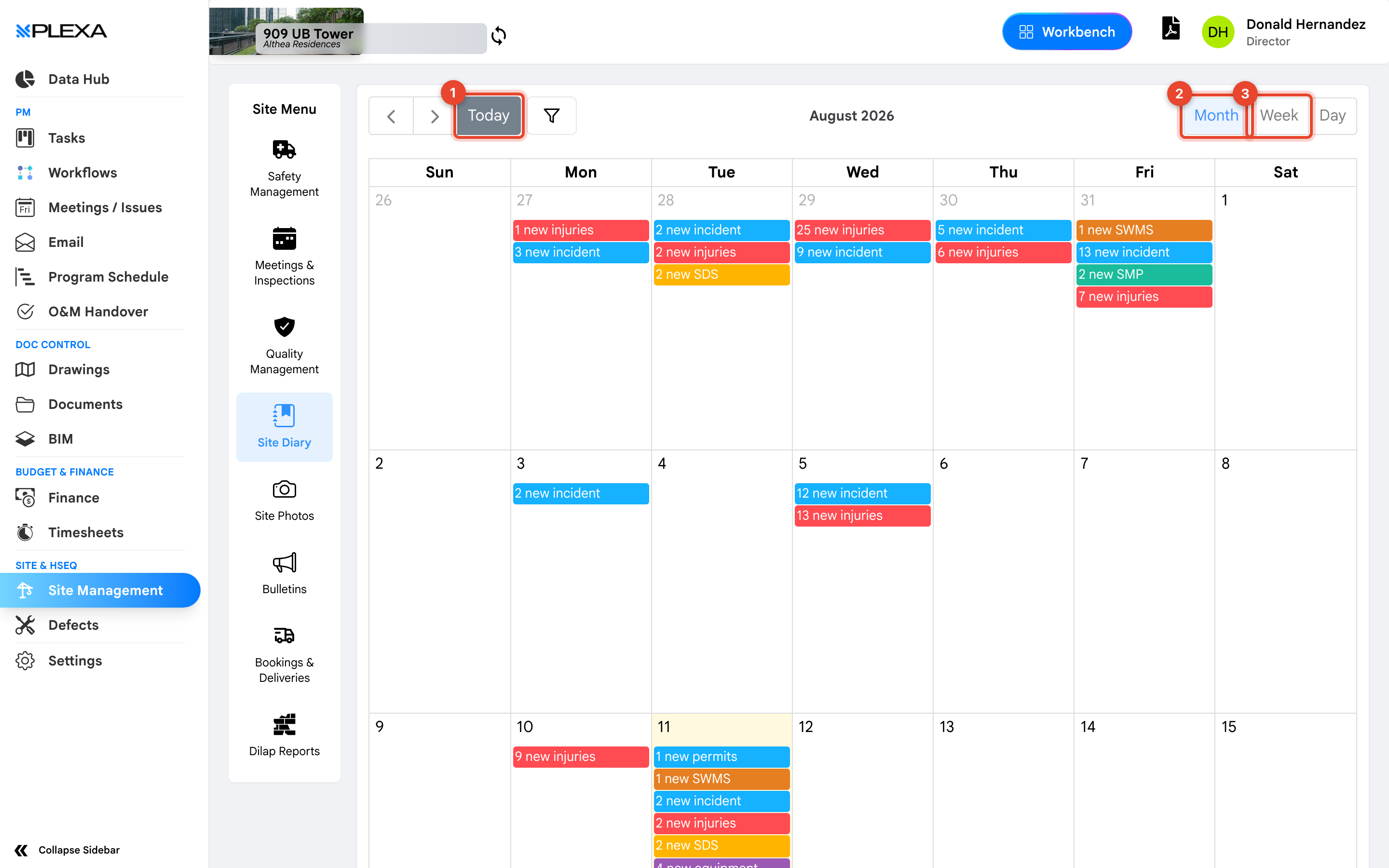
1 "Today" · 2 "Month" · 3 "Week"
Moving Around the Calendar
- "Today" jumps back to the current date from wherever you are
- "Month", "Week" and "Day" change how much of the calendar is shown at once
Select a date to open or create that day's entry.
The diary opens on the current month. If it looks empty, check which month you are viewing before concluding nothing was recorded.
Why It Matters Later
The diary is contemporaneous evidence. When a delay or variation is argued months later, a diary entry written on the day carries weight that a reconstruction does not — which is why entries are typically closed off at the end of each day and become difficult to amend afterwards.
Notes & Recommendations
- Record weather even on ordinary days. It is the field most often needed retrospectively and the one most often skipped
- Write what was actually done and by whom, not what was planned
- Complete the entry the same day. A diary filled in a week later is worth far less than one filled in at knock-off
Need More Support?
For Individual requests related to using Plexa Tools, Contact PLEXA SUPPORT
Email: support@plexapro.com
Phone: 1300 117 140
We're here to help you get the most out of Plexa.